Tiny Glade-Style Castle Building on Your Phone: Kalecik Guide
11 min read

Tiny Glade itself doesn't run on a phone, but the same idea (draw a line and a wall builds itself, with no goals) works on iPhone, iPad and Android in Kalecik. One thing up front: Kalecik is a game I made. It's an independent game inspired by Tiny Glade, with no connection to Pounce Light, and it is not a mobile version of Tiny Glade. In this post we build a first village step by step, and then I say plainly where the two games differ.
Why there is no Tiny Glade for Android or iPhone, how to stream the PC game to a phone screen and why to stay away from "Tiny Glade APK" files: all of that is in the Is Tiny Glade on mobile? guide. The other games that run natively on a phone are compared in Tiny Glade mobile alternatives. What I say about Tiny Glade here is not my own play experience; it comes from its Steam page and Pounce Light's update notes.
Tiny Glade and Kalecik side by side
| Topic | Tiny Glade | Kalecik |
|---|---|---|
| Made by | Pounce Light | Ahmet Balaman (the author of this post) |
| Platforms | Windows, Linux, macOS (Apple silicon); Steam Deck Verified | iPhone and iPad (iOS 15+), Android 10+ |
| Where to get it | Steam only | App Store and Google Play |
| Price | $14.99 | $4.99 (99.99 TL on the Turkish App Store) |
| Controls | Mouse; partial controller support, no touch controls | Touch: one finger builds, two fingers move the camera |
| Goals | No quests, no score, no way to lose | None in building; optional cave adventure, racing, fishing and a glider on the side |
| Walls, paths, buildings | You draw walls and paths with the mouse and buildings adapt | You draw with a finger; sharp turns get towers, a path makes a gate in a wall and a bridge over a pond |
| Terrain | Yes; the March 2025 update doubled the terrain height | Hill, Dig, Pond, Flatten |
| Sharing | Clutter mods on the Steam Workshop (since 1.16) | Optional Community screen: share and download designs |
| Account and internet | Bought and downloaded through Steam | No account, works offline |
| Store rating | "Overwhelmingly Positive" on Steam: 97% of 14,103 English-language reviews | No ratings yet; the game is new |
| Latest version | 1.16 (late September 2026) | 1.3.7 (November 7, 2026) |
Prices are US store prices as of November 14, 2026. Time of day, seasons and walking through the village are not in the table because I did not verify the Tiny Glade side for this post. How they work in Kalecik is covered in the steps below.
What you need
- A device: an iPhone or iPad on iOS 15 or later, or an Android 10 or later phone or tablet.
- The game: a one-time purchase on the App Store or Google Play: $4.99 in the US store, 99.99 TL on the Turkish App Store. No ads, no subscription, no in-app purchases.
- Account and internet: neither is needed. The internet is used only for the optional Community screen and an anonymous app-open count you can turn off in Settings.
So you recognize the real listing: the full name is "Kalecik: Cozy Castle Builder". The seller name on the App Store is Ahmet Balaman, and the developer name on Google Play is "Mr. Bülüç", which is my developer account. The game is in 20 languages, including English, and follows your device language.
Build your first village, step by step
The toolbar has seven tools: Wall, House, Tower, Nature, Path, Terrain and Eraser. One finger uses the selected tool. Two fingers rotate the camera and pinch to zoom; put two fingers side by side and drag up for a bird's-eye view.
1. Draw a wall
Pick the Wall tool and drag a finger across the meadow. Stones fall into place one by one, with battlements on top. With Auto tower on (it is on when the game starts), round towers rise by themselves at sharp turns. A small "First wall!" note appears at the top of the screen.
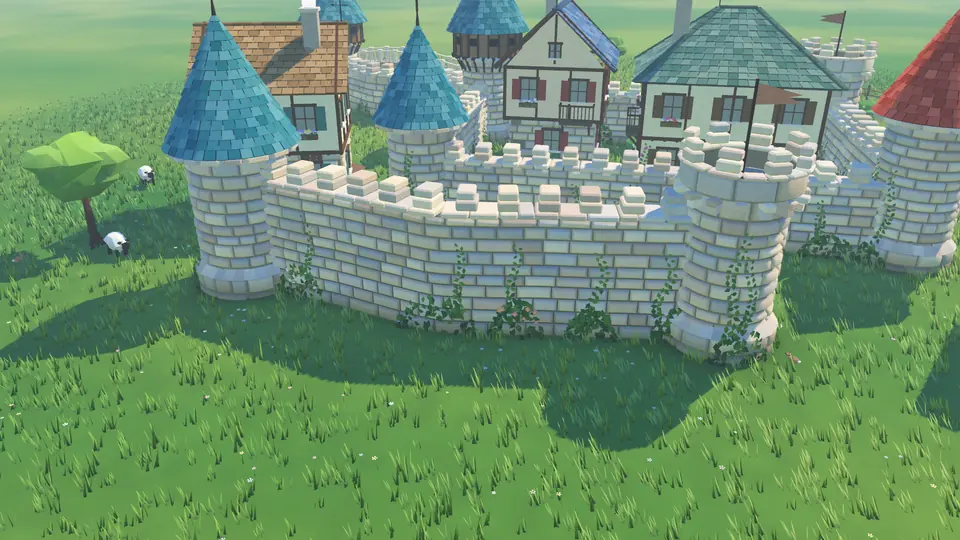
A frame from Kalecik, rendered by the game's own engine. This image is not from Tiny Glade.
2. Pick the wall kind, add a tower if you like
The option row above the toolbar has four kinds: Stone, Ruin, Arcade and Fence. Next to them are three heights: Low, Mid and High. You can tap a finished wall to change its kind or height later. A fence has a fixed height and gets no towers.
To place a tower by hand, tap the meadow with the Tower tool. Place it on a wall and the wall joins it; drop one tower onto another and they merge. The arrow on top makes it taller, the one on the side makes it wider. There are four roof styles: a shingle cone, a wooden gallery, a battlemented crown and a square tower with a pyramid roof.
3. Run a path through the wall to open a gate
There is no separate gate tool. Pick the Path tool and drag from one side of the wall to the other: a cobblestone path is laid, and an arched gate opens by itself where it crosses the wall.
4. Draw a house and reshape it with the handles
Draw an area with the House tool and a half-timbered house settles into it, with windows, shutters and chimney smoke. Tap empty grass for a small cottage; houses side by side join into wings.
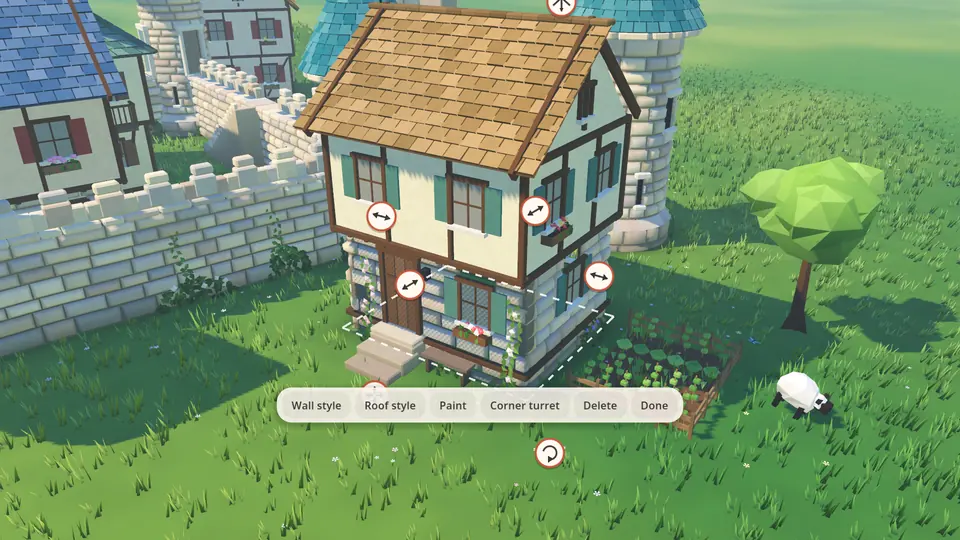
Tap a house and handles appear: pull the sides to resize it, use the arrow on top to add floors. The menu below has Wall style, Roof style, Paint and Corner turret.
5. Dig a pond and cross it with a bridge
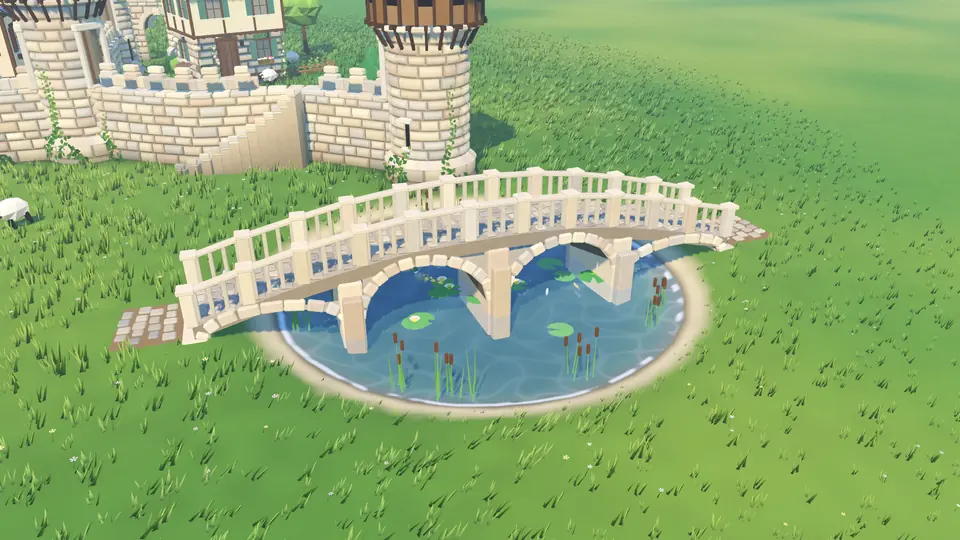
In the Terrain tool, pick Pond and hold a finger down. The ground sinks and water comes with it, along with lily pads, reeds and fish. In the same tool, Hill raises the ground, Dig lowers it and Flatten makes it level again.
Then draw a line over the pond with the Path tool. The path turns into an arched stone bridge with stairs down to the ground. In the Bridge option you choose the height (Low, High) and the railing (Stone rail, Wooden rail).
6. Plant trees and place props
The Nature tool works like a brush: pick Tree, Pine or Bush and drag, or use Forest to plant a whole grove at once. Props such as Well, Barrel, Lantern and Hay go down one per tap.
7. Change the time of day
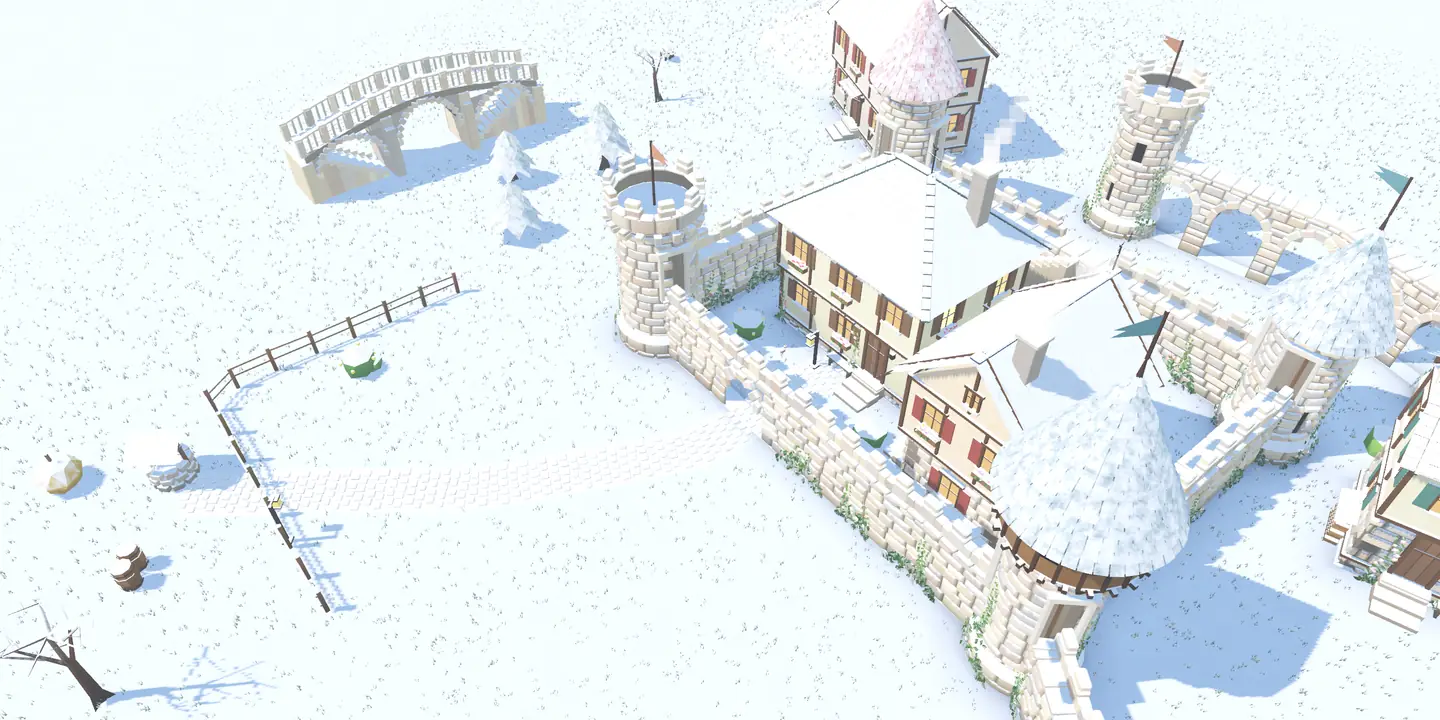
The sun button cycles the village through day, evening, night and winter. At night the windows glow, in winter the roofs and the meadow are covered in snow, and the music changes with the time of day. The store description also lists four seasons and weather.
8. Walk through your village
Tap Walk on the title screen to stroll through your village in first person. The houses nearby are furnished inside.
9. Take a photo
The camera button opens photo mode: the interface hides, and pressing the shutter saves the shot. On iPhone and iPad, if you allow it, the shot is added to Photos too; the game asks for add-only access and cannot read your library. On Android the shot goes to Pictures/Kalecik in your gallery, which needs no permission.
10. Saves, undo and the eraser
Your village saves itself after every change. You can build several villages; each one is kept separately, and My villages on the title screen takes you back to any of them. The save stays on your device only: there is no cloud sync, and deleting the app deletes your village.
The undo and redo buttons at the bottom left keep your last 150 steps. The eraser cuts instead of wrecking: run it through the middle of a wall and the wall splits in two, with stone piers on the open ends.
Beyond building: a dungeon, a race and a small package
I have grown Kalecik quite a bit since its first release. The cave under the village opens onto an adventure: in the words of the store description, three floors of old mine, then ten worlds under open skies, with ten great bosses and forty mini bosses, fought with swords and bows. There is also a race track that rises above your village, fishing, and a glider you can fly from any high peak. All of it is optional and none of it touches the building part.
None of this ships as ready-made model files. Walls, towers, houses and bridges are generated procedurally in the game's code; I described how in procedural stone walls, gates and bridges. That keeps the game small: the Android package is 199 MB in version 1.3.7, and more than half of that is music (93 tracks, 127 MB). The App Store page shows a size of 249.5 MB.
The sea is next: wading in, swimming and diving under the water is in the test build as of November 14, 2026. It is not in version 1.3.7 on the stores yet; I will update this post when it ships.
Where it differs from Tiny Glade
Same kind of game, two different games. The differences go both ways:
- Controls and screen. Tiny Glade is a mouse-driven computer game with no touch controls. Kalecik was built from scratch for touch screens.
- Things Tiny Glade has that I can't point to in Kalecik. The paintable flowers and grain and the Steam Workshop mods that arrived with update 1.16 do not appear on Kalecik's product page or in its store description. Sharing in Kalecik goes through the game's own Community screen, not the Workshop. The two feature lists do not match one to one.
- Things Kalecik has that Tiny Glade doesn't. Besides building, there is an optional cave adventure (ten worlds, bosses), racing, fishing (40 fish) and a glider. "No goals" describes the building part.
- Track record. Tiny Glade has 14,103 English-language reviews on Steam, 97% of them positive. Kalecik came out on Google Play on September 25, 2026 and on the App Store on October 3, 2026, and has no rating in either store yet. I can't present it as a game proven by reviews.
Who is it for, and who should skip it?
This section is my own view. As the person who made the game I'm not neutral, so I'm listing the reasons to skip it too.
It may suit you if: you want to build a castle on a phone or tablet rather than a computer, draw a wall, open a gate and then walk through the village. Or if you want a game with no ads, no internet requirement and a one-time price.
Skip it if:
- You have a PC, an Apple silicon Mac or a Steam Deck and what you want is Tiny Glade itself. Buy Tiny Glade; Kalecik does not replace it.
- You want points and goals. ISLANDERS: Mobile in the alternatives post is a better fit.
- You want a colorful island town rather than a castle, in a game rated by many players. Look at Townscaper.
- You like to read other people's reviews before buying. Waiting is reasonable; Kalecik has no store ratings yet.
Frequently Asked Questions
Can I play Tiny Glade on my phone with Kalecik?
No. Kalecik is a different game, not a mobile version or port of Tiny Glade. Tiny Glade has no iPhone, iPad or Android version. The ways to stream the PC game to a phone screen are in this guide.
Is Kalecik on Android and iPhone?
Yes. It is on Google Play for Android 10 and later and on the App Store for iOS 15 and later. Both stores have version 1.3.7 (November 7, 2026).
Is Kalecik free?
No. You buy it once: $4.99 in the US store, 99.99 TL on the Turkish App Store. After that there are no ads, no subscription and no in-app purchases.
Does Kalecik need an internet connection?
No. It works completely offline and asks for no account. The internet is used only for the optional Community screen and an anonymous app-open count you can turn off. Your village and photos stay on your device.
Is Kalecik connected to Pounce Light?
No. I developed and published Kalecik as an independent developer. It is inspired by Tiny Glade, but it has no partnership, license or other connection with Pounce Light.
Does Kalecik run on iPad?
Yes, on iPads with iOS 15 or later. Tiny Glade has no iPad version.
Sources
Store data was read on November 14, 2026.
- Kalecik on the App Store: price, version, iOS requirement, seller name and the game description
- Kalecik on Google Play: price, version, Android requirement and developer name
- Kalecik product page: tools, options, controls and privacy
- Tiny Glade on Steam: platforms, price, reviews and controller support
- Tiny Glade news on Steam: Pounce Light's 1.16 "Wood, Flowers, Workshop & more" update notes and earlier updates
If you're curious how the game was built, I wrote about it in the making-of post.
Related Posts
Tiny Glade Mobile Alternatives: 5 Games for Android & iPhone
Tiny Glade has no Android or iPhone version. Here are five native phone games that come close, compared by price, ads, goals and how you build.
Is Tiny Glade on Mobile? iOS, Android and How to Play It
Tiny Glade has no official iPhone or Android version. Here is where to get it safely, two ways to play it on your phone and similar games for mobile.
What Is Talkamble? Turn a Walk Into a Conversation
Talkamble turns a solo walk into a voice conversation with someone walking at the same time. How it works, why it steps back from the screen, and safety.