iOS app · Free
LevelUpStudy
Focus. Finish. Level up.
LevelUpStudy: focus on your exam, see the hours you really study
Do you know how many hours you actually study? LevelUpStudy measures every minute you spend preparing for an exam and shows you real data instead of a gut feeling. Start a focus session, keep your streak alive, compete with friends, and spend the points you earn on your own 3D study desk.
- Free
- iOS 16.0+
- iPhone · iPad · Mac
- Education
- Turkish & English
- exam types
- 12exam types
- achievement badges
- 40achievement badges
- pomodoro cycles
- 25/5 · 50/10pomodoro cycles
- study desk
- 3Dstudy desk
What is inside the app?
LevelUpStudy is not a stopwatch. It is a closed loop: it measures your work, reflects it back to you, and gives you a reason to come back tomorrow.
Focus sessions and Pomodoro
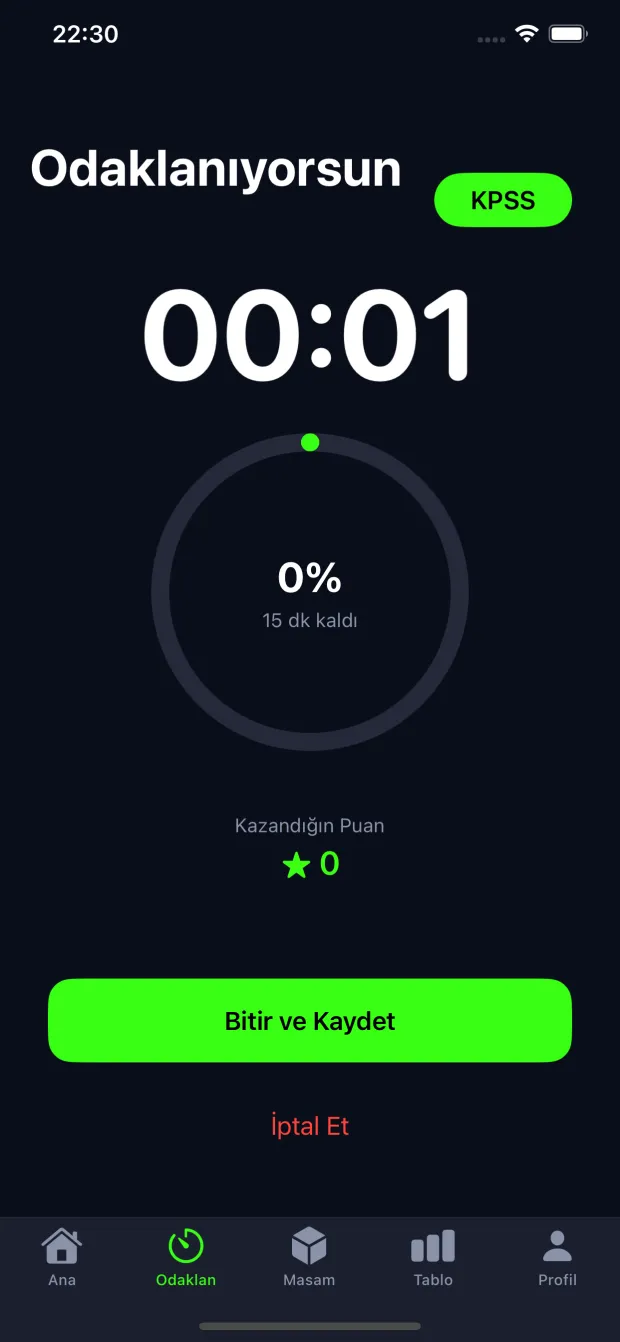
Pick a duration, pick your exam, start. Next to the classic single-block session there are 25/5 and 50/10 pomodoro cycles with break notifications — and break minutes never count towards points. If the app is killed mid-session, nothing is lost: it resumes exactly where you left off.
Streak system
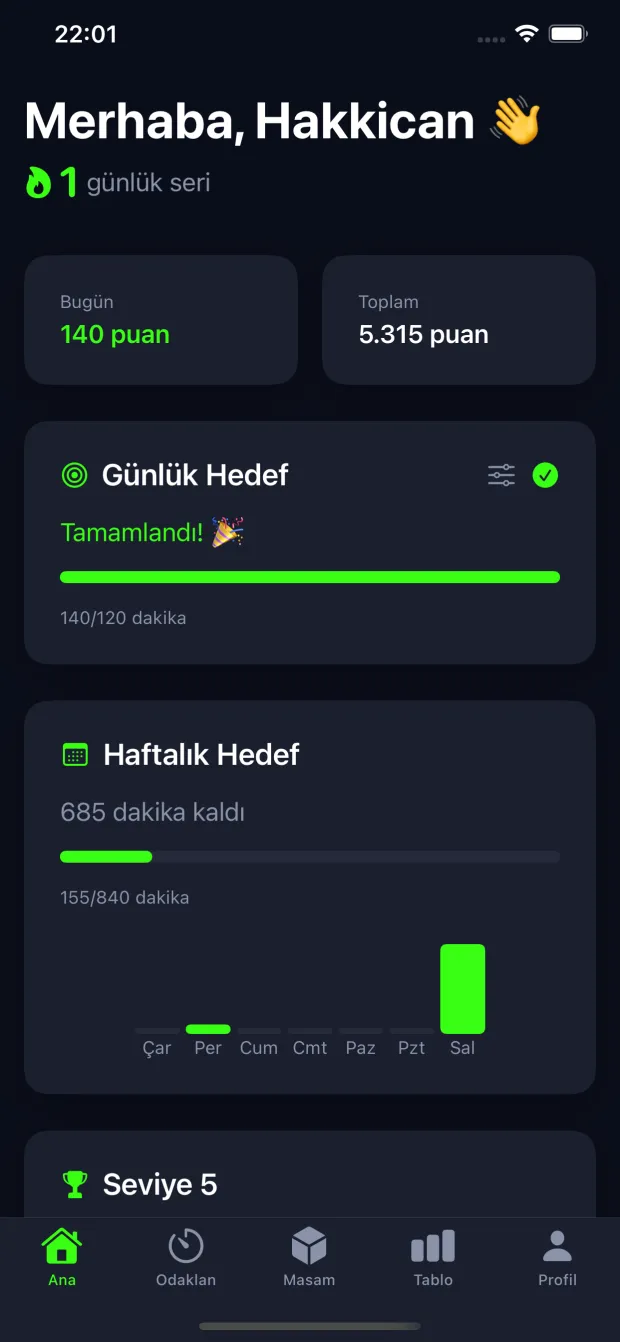
Every day you study, your streak grows. The streak follows server time, not device time, so you cannot farm it by changing your time zone. If you have not studied by evening you get a reminder, and a points-purchased "freeze" covers a single missed day.
Leaderboards
Rankings are split by exam type, so you compete with people preparing for the same exam. Daily, weekly, monthly and all-time tabs are available. Scores are computed on the server from completed sessions — no duration reported by a client is ever trusted.
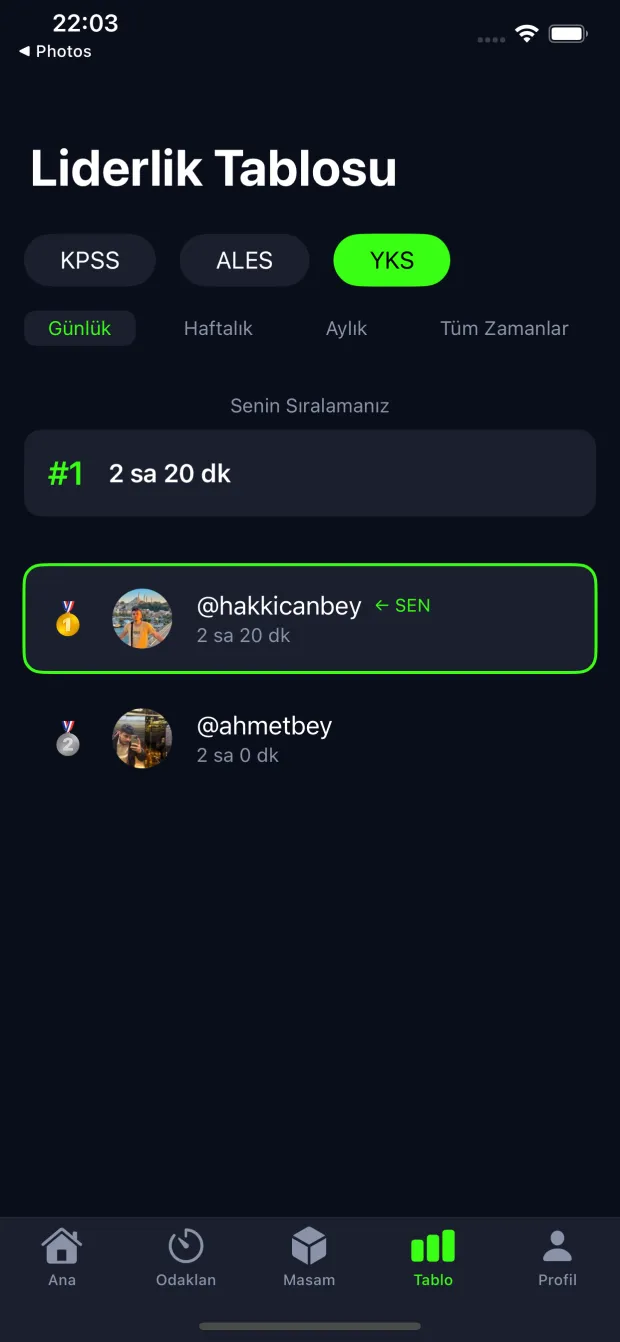
Friends and live study rooms
Find friends by username, follow them, and see who is studying right now. Friendship streaks create shared accountability: the streak grows while you both show up, and it breaks for both of you when one stops.
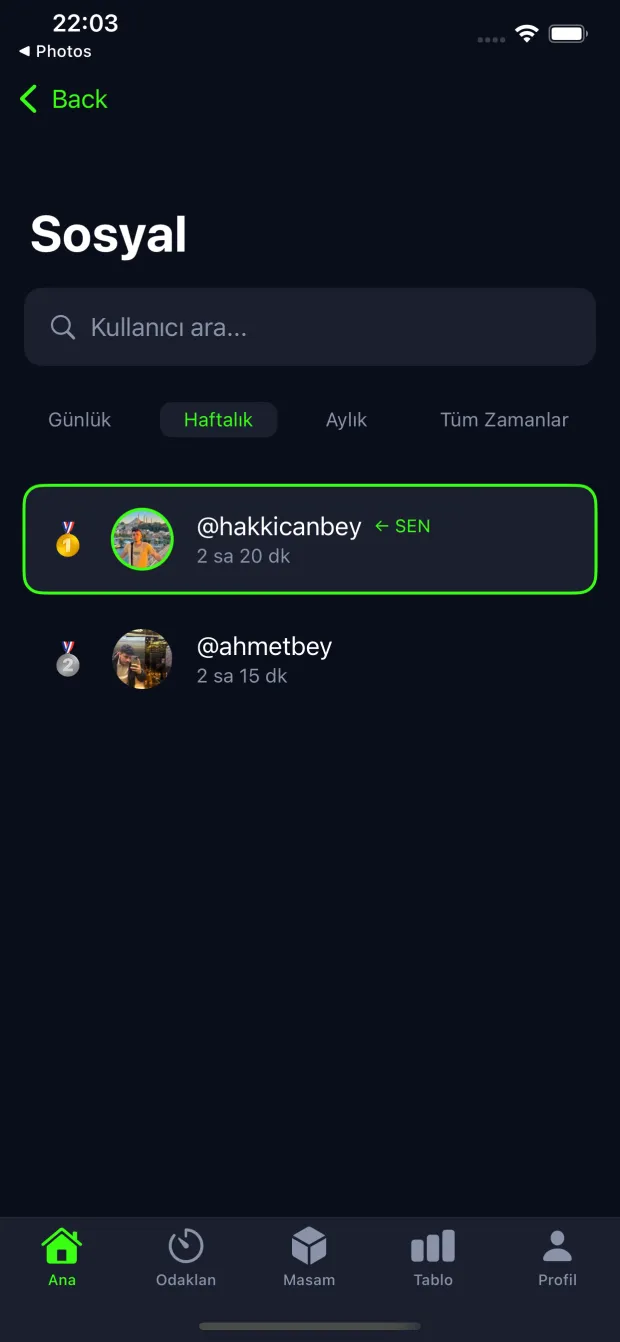
3D study desk and item shop
Your points do not stay as a number. Buy monitors, headphones, a game console, plants or lamps and build your own desk. The desk is a real 3D scene: rotate it, rearrange it, and visit your friends’ desks.
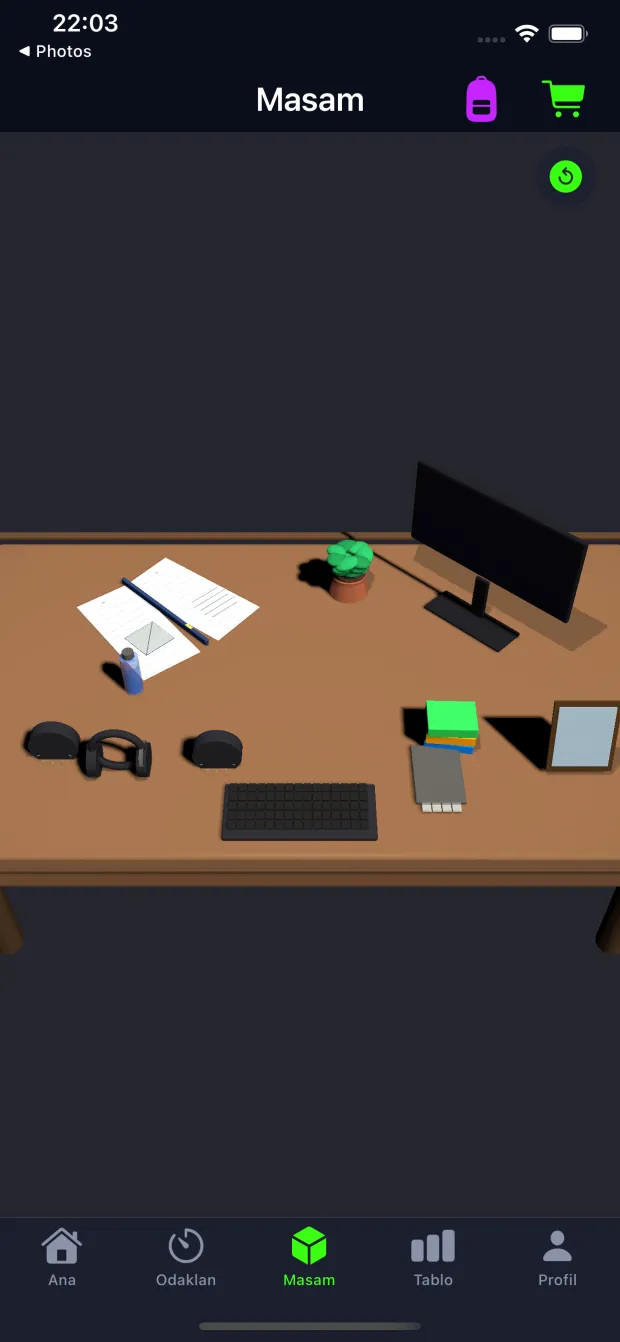
Statistics and badges
Daily and weekly goals, a GitHub-style study history calendar, a weekly report and 40 achievement badges. Badges are derived from authoritative server counters: total minutes, longest streak, completed sessions, active days and the items on your desk.
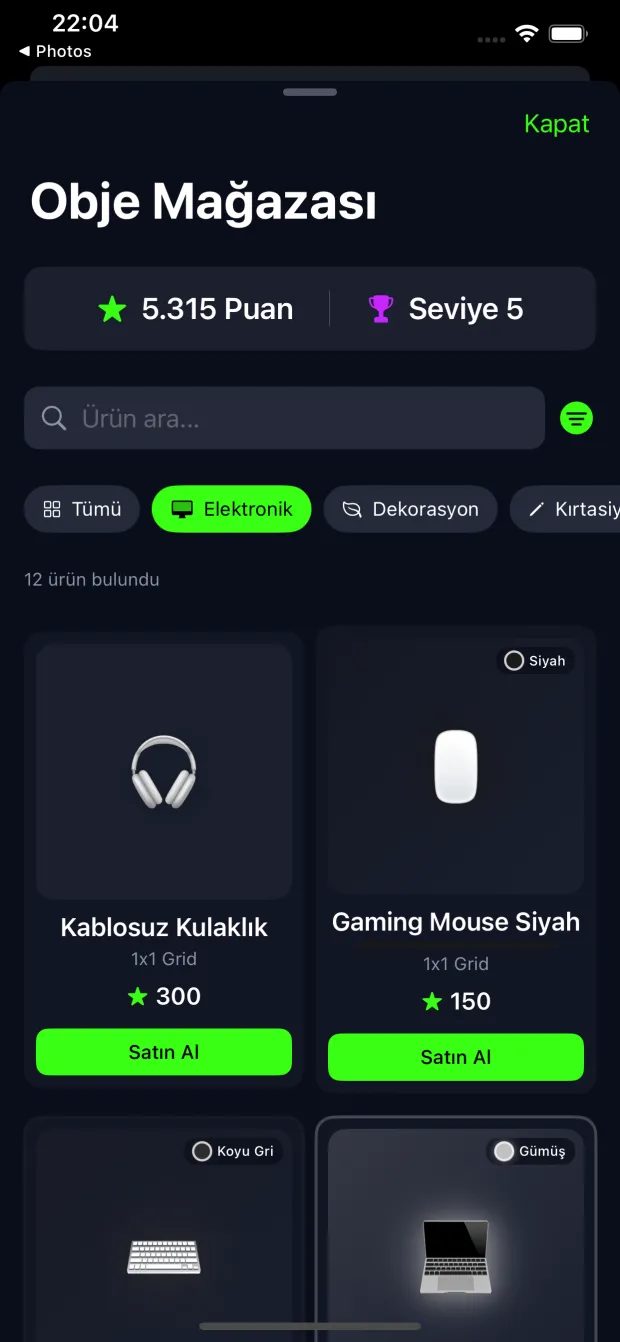
Start in three steps
- 1
Pick your exam
Sign in with Apple, choose the exam you are preparing for, and set a daily goal in minutes.
- 2
Focus
Set the timer, start it, and put the phone down. Because time is measured with server timestamps, every record is real.
- 3
Level up
Finishing a session earns points, keeps your streak and raises your level. Points build your desk and push you up the leaderboard.
Which exams is it for?
Leaderboards and statistics are separated by exam type, so LevelUpStudy is built for students preparing for:
- YKS
- TYT
- AYT
- YDT
- LGS
- KPSS
- ALES
- DGS
- YDS
- YÖKDİL
- TUS
- MSÜ
You can switch your exam type at any time. Past sessions are never deleted — only the leaderboard you compete in changes.
How it was built
LevelUpStudy is a one-person project: design, iOS client, API and release process are all mine. I write about part of the technical decisions on the blog, both as an example for my students and as a map for anyone walking the same road.
SwiftUI + SceneKit
The whole interface is SwiftUI. The 3D desk is generated in code with SceneKit — there are no imported model files; every object is built from geometry.
Firebase Auth + my own API
Authentication is Sign in with Apple through Firebase Auth. Data, the game economy and scheduled jobs run on my own PHP + MySQL API.
Server authority
Duration, points, streaks and inventory never come from the client. Duration is the difference between two server timestamps; the value reported by the app is only used as an upper bound.
A tested core
Time, streak and scoring logic live in pure functions guarded by unit tests, plus integration tests that run against a real database.
Articles about how the app was made
Shipping an App Store App with Full Vibe Coding: The LevelUpStudy Story
Can you ship an App Store app by coding with AI? The method that worked while building LevelUpStudy, the three real walls I hit, and the lessons.
What Is LevelUpStudy? A Study Tracker App for Exam Preparation
How LevelUpStudy makes exam preparation measurable, with focus sessions, streaks, leaderboards and a 3D study desk for your study hours.
Frequently asked questions
Is LevelUpStudy free?
Yes. The app is free to download and every core feature is free; there is no subscription. You can optionally watch a rewarded ad at the end of a session for bonus points, but it is never required.
Which exams does it support?
YKS, TYT, AYT, YDT, LGS, KPSS, ALES, DGS, YDS, YÖKDİL, TUS and MSÜ. Leaderboards are separated by these exam types so you always see the group you actually compete in.
Is there an Android version?
Right now LevelUpStudy runs on iPhone, iPad and Apple Silicon Macs and requires iOS 16 or later. An Android version is in progress and will be announced on this page when it ships.
How is my study time calculated — can it be cheated?
Duration is the difference between the server timestamps taken when you start and finish a session. The value reported by the app can only lower that number, never raise it. Finishing early works correctly; inflating your time does not.
How do I keep my streak?
Complete at least one session per day. The day boundary follows Istanbul time. If you have not studied by evening you get a reminder notification, and a "freeze" bought with points covers one missed day.
Can I delete my account and my data?
Yes. The account deletion step in profile settings removes both your study data on the server and your Sign in with Apple account. It cannot be undone; details are on the privacy policy page.
Start measuring the hours you study today
LevelUpStudy is free on the App Store. Download it, pick your exam, and finish your first focus session today.
Free · iOS 16.0+ · iPhone, iPad and Mac