
Building a Mobile Game with AI Agents: Kalecik
11 min read
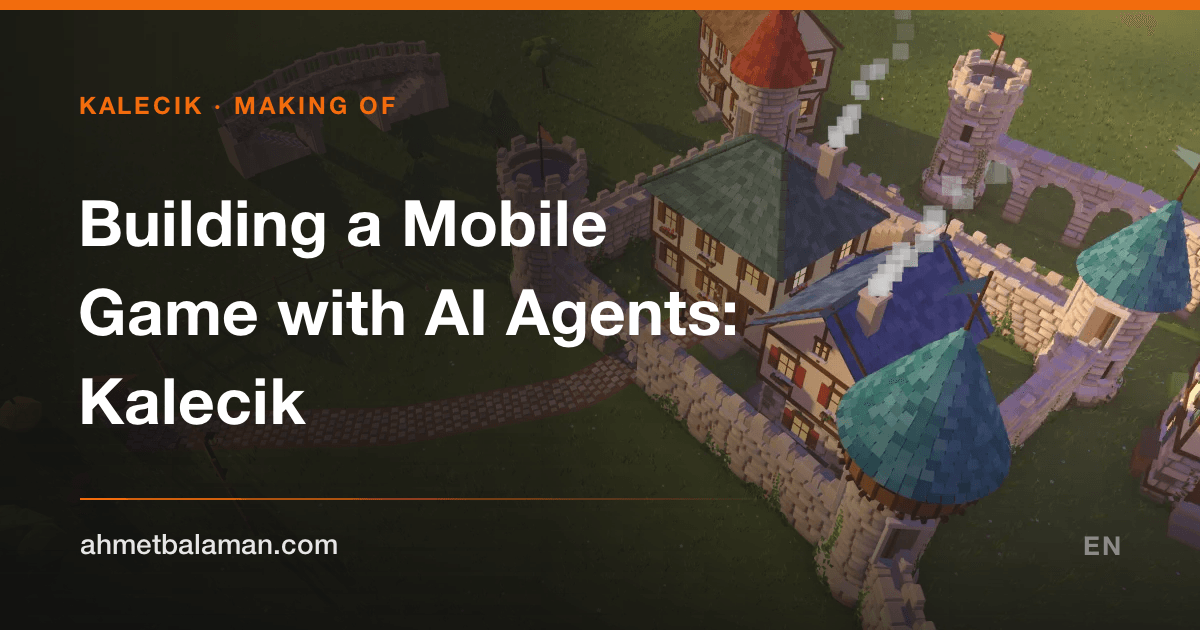
Kalecik is a cozy castle builder for iPhone and iPad: drag a finger across the meadow and a stone wall grows along it, stone by stone. Lead a path through the wall and an arched gate opens; lead it over a pond and it becomes a bridge. Sheep wander down to drink, and the windows light up at night.
This post is an honest account of how it was made. The short version: I didn't type the code. I built Kalecik by directing five Claude Code sessions running at the same time. I described what I wanted, made the decisions, played every build on my phone and reported what I saw; the agents wrote the code. It took about two and a half hours to go from an empty folder to the first build running on my iPhone. This post is the map of that process; the technical deep dives are in the rest of the series.
The idea: why isn't Tiny Glade on phones?
It started with a question. I asked Claude whether it knew Tiny Glade and asked for an honest opinion. Tiny Glade is Pounce Light's game for computers: you draw castles and villages into being, with no goals, and it's gorgeous. There is no official iPhone or Android version.
The answer was more candid than I expected. Claude pointed out that the game is built with Rust and Bevy and uses real-time global illumination, and that a one-to-one copy would be very hard. For mobile it suggested something simpler that keeps the same feeling. That became the plan: the same kind of game, designed for touch from scratch, as an independent project. Kalecik is inspired by Tiny Glade but has no connection to it, and the product page says so plainly.
Why Godot?
My second question was about the engine. We would be generating geometry in code, and the game had to run on a phone. Claude recommended Godot, and the reason was interesting: in Godot, scenes (.tscn), scripts (.gd) and shaders (.gdshader) are plain text files. An AI agent can drive the whole project from the command line and text files without clicking around an editor. Unity leans much harder on its editor UI.
So: Godot 4.7.2, the Mobile renderer, everything in GDScript. The only native code is a small Objective-C++ extension that saves photos to the photo library. Everything else, the stones, houses, bridges, trees and animals, is generated by code. There isn't a single 3D model file in the project.
The first two and a half hours: from a line to a wall to a phone
The timeline, roughly (the evening of September 24):
- 8:36 PM First message in an empty folder.
- 8:50 PM First files: the scene, stroke tools, the wall path and the masonry.
- 9:06 PM First demo on the Mac: draw a line, get a stone wall, with towers popping up at the corners.
- 9:10 PM I told it to drop the mouse details: this was going to be a mobile game from the start.
- 9:58 PM Touch controls done.
- 10:59 PM Houses from drawn areas, chimney smoke, sheep, birds, synthesized sound, cobblestone paths that cut gates through walls, stone/ruin/fence walls, day/evening/night and photo mode.
- 11:02 PM First install on my iPhone 15 Pro Max.
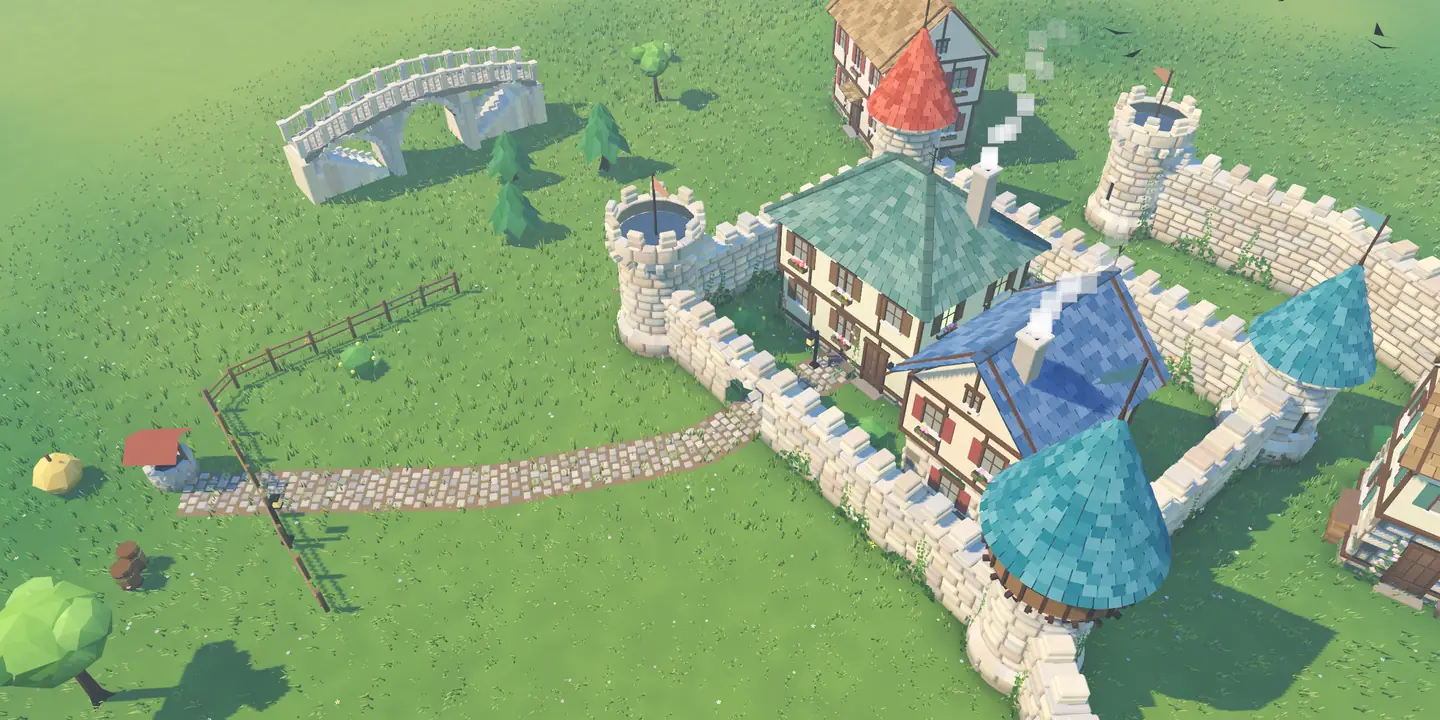
A frame from the game’s own engine: from a line to a wall to a village in one night.
Once I played on the phone, the list filled up fast: the wind loop sounded like surf, the camera was too sensitive and jerky, scribbling spawned towers in silly places, photo mode had no shutter button, and with the phone on silent the game made no sound at all (I wanted the music to play even in silent mode). I wrote each one down; the agent fixed it and reinstalled. Terrain, ponds and fish arrived the same night. At some point I noticed the sheep walking down to the pond to drink and was genuinely surprised; it was exactly the kind of detail the game is about.
I made the first commit at 12:08 AM: 62 files, 5,770 lines. By about 1 AM the first Android APK was ready too.
When one agent isn't enough: five parallel sessions
As the game grew, a single session became the bottleneck. After midnight I opened a second Claude Code session, then a third, and eventually five sessions were working on the same project at once, each with its own area:
- Lead: wiring, procedural buildings, bridges, edit handles, first-person walk mode and installs to the phone.
- Sound and look: sound effects, music, shaders, greenery, weather, interiors.
- Performance and nature: the overheating phone, 20 tree species, wildlife, grass.
- Release: App Store preparation, the title screen, save slots, settings, 20 languages, the photo extension.
- QA: first the icon choice, then tests, fuzzing and the README.
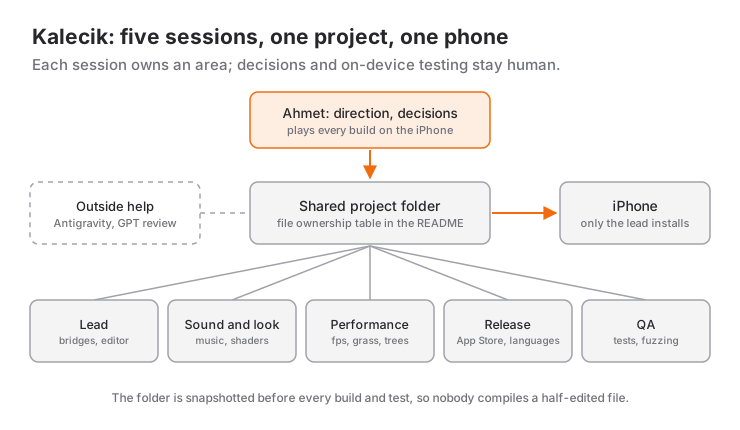
Five agents touching the same files naturally caused trouble. The fixes were the same ones that work for human teams: a table in the README showing who owns which file, sessions messaging each other, and only one session allowed to install to the phone. So that one agent never built from another's half-edited file, the project folder was snapshotted before every build and test run.
Early on, Google's Antigravity also made a few edits (house wings snapping together and a hill fix came from it). Later I pasted in an outside review from GPT, which caught real bugs such as a startup crash and the "New village" button wiping data. So no single AI built Kalecik; several tools worked together, with me steering.
So what was my job?
If I didn't write code, what did I do? A few concrete things:
- Direction and scope. I decided what to build and in what order. When the first list was done I set a new goal: turn this into something genuinely great. The second round asked for editable bridge ends, walking on the walls, interiors, seasons and far more tree variety.
- Testing on the phone. I played every build on my iPhone and described what I saw with screenshots and screen recordings. The agent can't see the phone or feel it heat up; I was the one saying "the phone got really hot."
- Product decisions. The name (Kalecik), the price (one-time, no ads), the icon. The AI-generated icon candidates looked too artificial to me; the final icon is an evening render of the courtyard from the game's own engine.
- Knowing when to stop. Shortly after the first build was uploaded to App Store Connect, I said we would not ship until the game was finished. My last message before going to bed was essentially "handle everything, but do it properly"; the agents kept working through the night while I slept.
How does an agent verify what it can't see?
This is the question people ask most. The agent can't play the game or hear it, so testing tools were built into the game itself:
- Scripted touch test. Launched with
--test, the game draws walls and places houses with fake touches, takes screenshots and runs checks. The check count grew from 15 to 50, and the agent also judges the result by looking at the screenshots the engine takes. - Fuzz test. It plays randomly and checks invariants after every step: save, load and save again and get the same result; no value is ever NaN; undoing and redoing everything leaves the village unchanged.
- Measuring sound. Since the agent can't hear, loudness was checked with LUFS and peak values and the character with spectrograms. The details are in generating game music and sound with code.
A small but useful note: while tests ran, game sounds played through my Mac speakers, and it bothered me. From then on every test ran with a silent audio driver. When you work with agents, your own comfort is a requirement too; if you don't say it, they can't know.
Where we hit walls
Not everything went smoothly. The highlights:
- The phone overheated. The game was drawing 120 frames per second on the iPhone's 120 Hz display. The fix and the measurements are in the game that heated my iPhone.
- Looping sounds turned into surf. In the end nothing in the game loops; every sound is a one-shot at a random time.
- Invisible bugs. In GDScript, arrays like
PackedVector3Arrayare value types. An array taken out of a dictionary, changed and never written back left all 46 grass chunks empty. It was noticed because the store screenshots showed bare ground. - Saving to the photo library. The first approach never fired; in the end a small native extension was written.
- The store API. The App Store Connect API wouldn't create the app record, so that one step happened in the web UI. Everything else is automated: automating App Store Connect with the API.
None of these came from the agent "not knowing" something. They came from nobody having seen that situation yet. The person playing on the phone caught what the tests didn't.
Where it stands now
When I wrote this, about fifteen and a half hours had passed since the first message. The game is over 17,000 lines of GDScript; two iOS builds are uploaded to App Store Connect, the store listing is ready in 50 locales, and the price is set. But the game isn't released yet: I want it finished before it goes to review. Kalecik is coming soon to the App Store, and an Android version for Google Play is in the works.
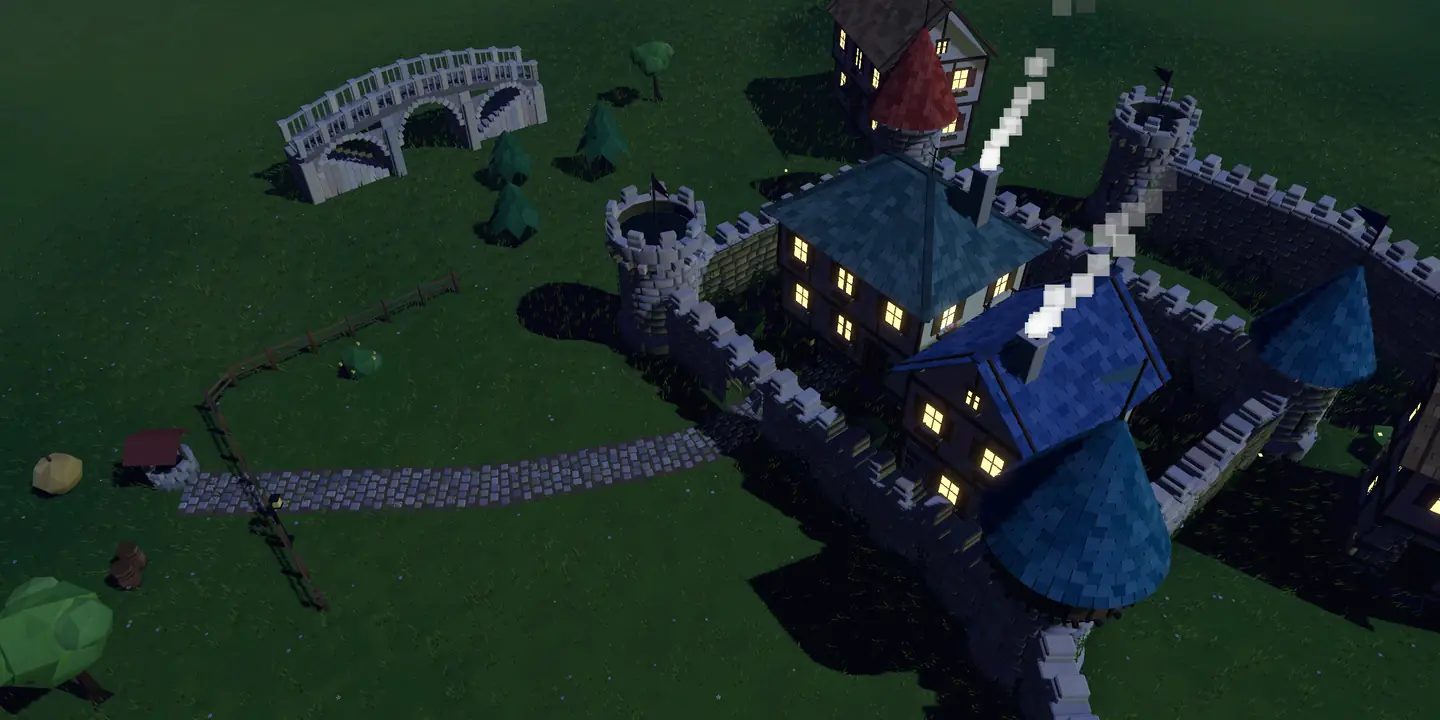
The same village at night: the windows light up on their own.
If you want to see how the walls are actually built, continue with the technical posts in the series: procedural stone walls, gates and bridges.
If you want to try the same path
- Pick the engine for the agent's comfort. A tool you can drive through text files and the command line sets the agent's speed.
- Test on a real device from day one. A game that looks perfect on a Mac can overheat the phone, feel twitchy, or go completely quiet in silent mode.
- Write down a division of labor for parallel agents. Who owns which file, who installs to the device; keep it in a written table.
- Automate verification. Scripted tests, fuzzing and measurements turn what the agent can't see into something it can measure.
- Make the calls yourself. The name, the price, when to ship and saying "this isn't good enough" are still your job.
I wrote about shipping an app with vibe coding before in the LevelUpStudy story. Kalecik was different: five agents instead of one, a 3D game instead of an app, and one night instead of months.
Frequently Asked Questions
Can you really make a game with AI?
You can, but it's not as simple as "tell the AI and it does it." In Kalecik the Claude Code agents wrote the code; direction, decisions, testing on the phone and saying "this isn't right" were my job. The biggest help came from tests that turned what the agents can't see into something measurable.
Did you really not write any code?
Right, I didn't write a line of code on this project. My software background still mattered at every step: describing what I wanted in technically precise terms, guessing where a bug might come from, and judging whether a proposed fix made sense.
Why Godot instead of Unity?
In Godot, scenes, scripts and shaders are plain text files, so an agent can drive the project entirely from the command line. Kalecik needed geometry generated in code rather than imported models, and Godot handled that easily.
When is Kalecik coming out?
The App Store build is ready, but I won't submit it for review until the game is finished. An Android version for Google Play is in the works too. Once it's live, the store buttons on the Kalecik page will take you straight there.
Is Kalecik the mobile version of Tiny Glade?
No. Tiny Glade is Pounce Light's game for Windows, Linux and macOS, and it has no official mobile version. Kalecik is an independent iPhone and iPad game inspired by it; all of its geometry, sound and music are generated by its own code.
Related Posts
Procedural Stone Walls, Gates and Bridges in Godot
How a finger stroke in Kalecik becomes a stone wall, an arched gate, a bridge or a house: smoothing, seeded masonry and chunked meshes in Godot 4.
The Game That Heated My iPhone: Godot Mobile Performance
My Godot game made an iPhone 15 Pro Max hot. The root cause was 120 fps; the fixes were a frame-rate governor, shadow proxies, grass chunks and threads.
Royalty-Free Game Music: Generating Every Sound in Code
Kalecik uses no recordings: stones, birds, sheep and 37 music pieces were all generated in Python. No loops, a music watchdog, and LUFS instead of ears.