For friend groups & couples

Recapday
Group clips · a daily vlog
Same day, closer us.
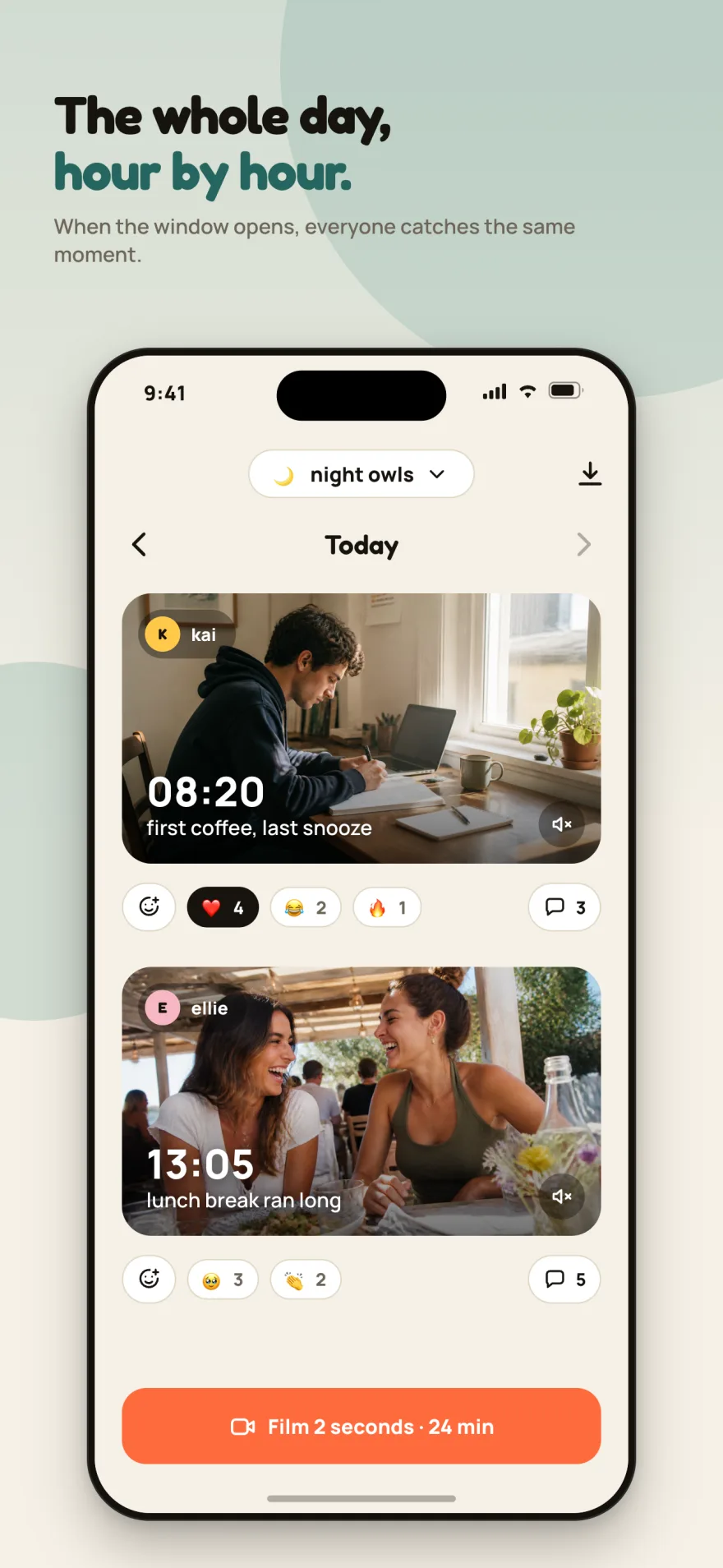
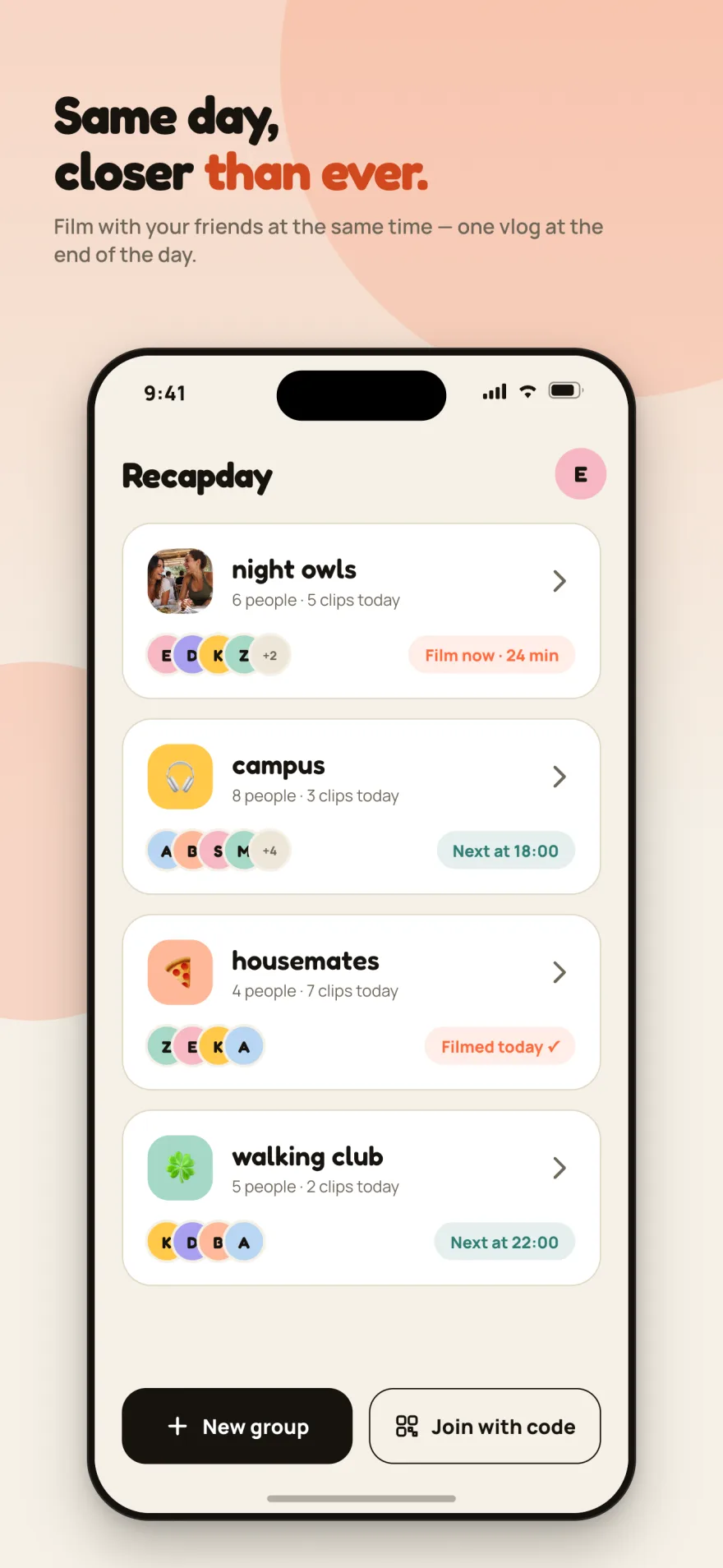
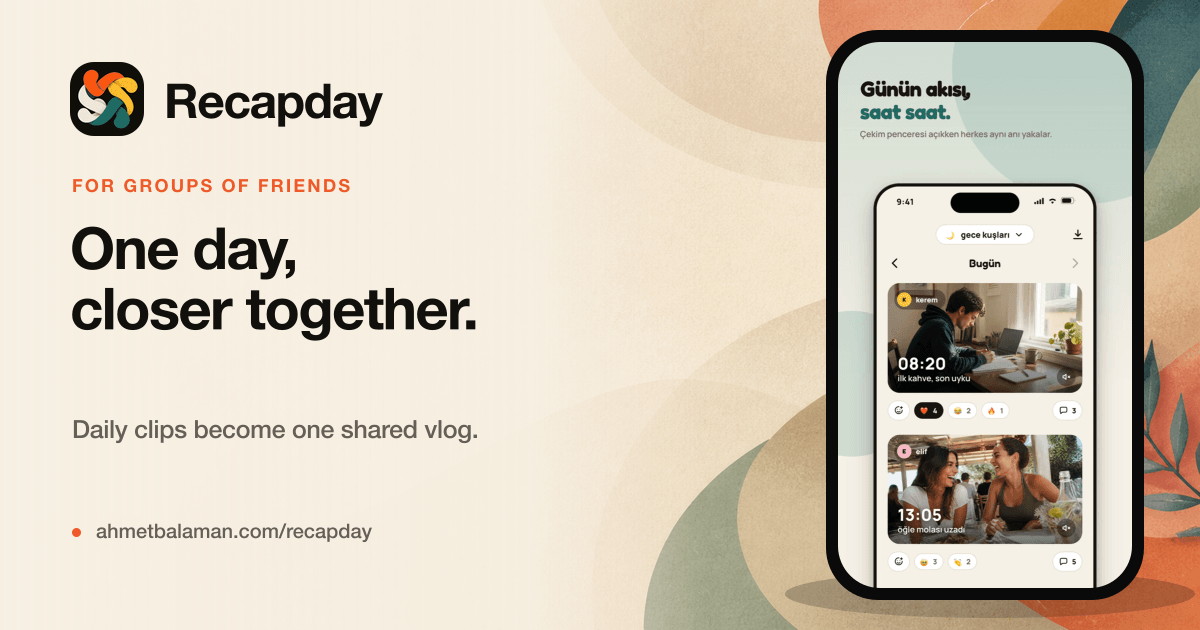
At times your group picks, everyone records a few seconds. The clips land in a shared feed and become a single vlog at the end of the day.
Available on iOS & Android
- Free
- Couple mode ❤️
- iOS 15.0+ · Android 7.0+
- No ads
- Up to 10 people
- Turkish
Start in three steps
- 1
Create the group
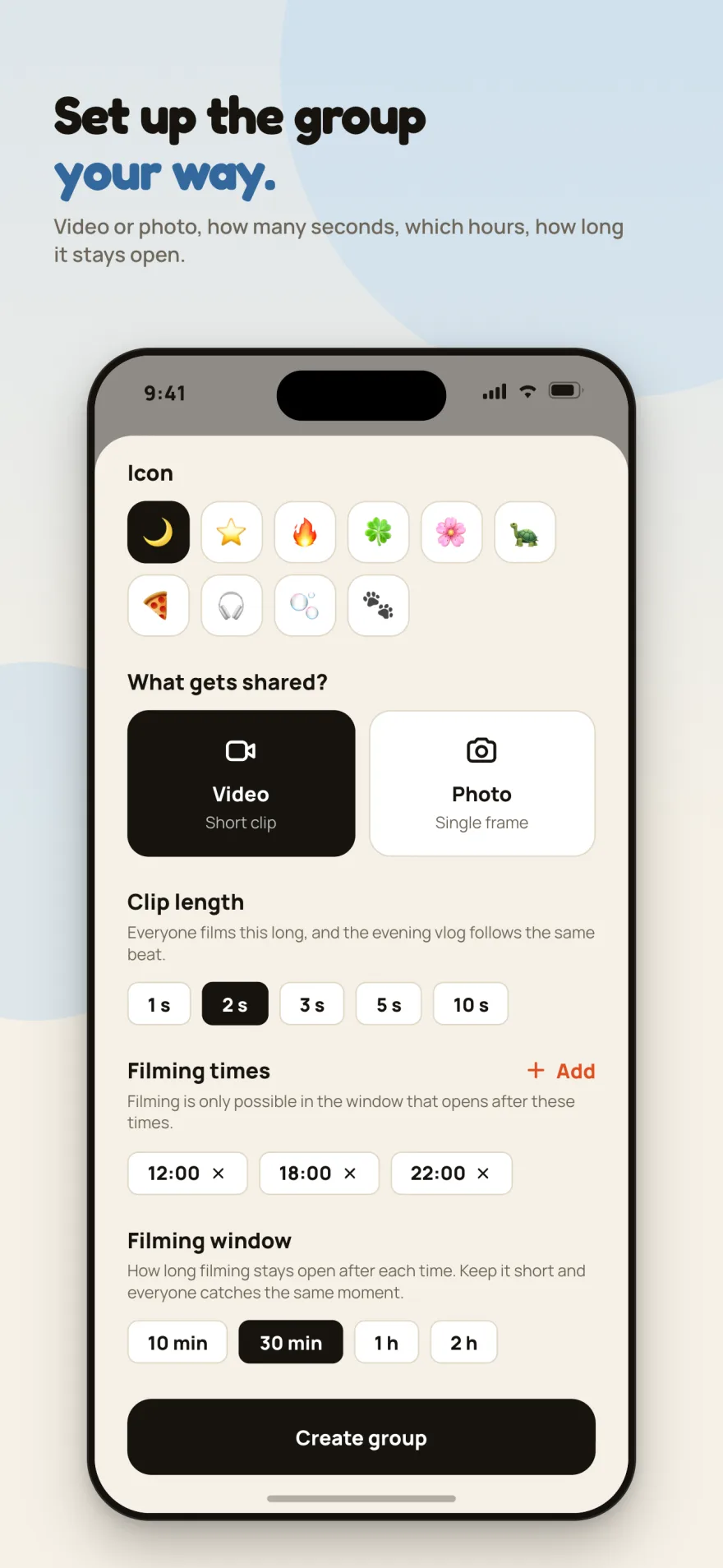
Pick a name, an icon or a photo. Video or photo, how many seconds, which times of day — you decide. Then share the invite code.
- 2
Catch the window
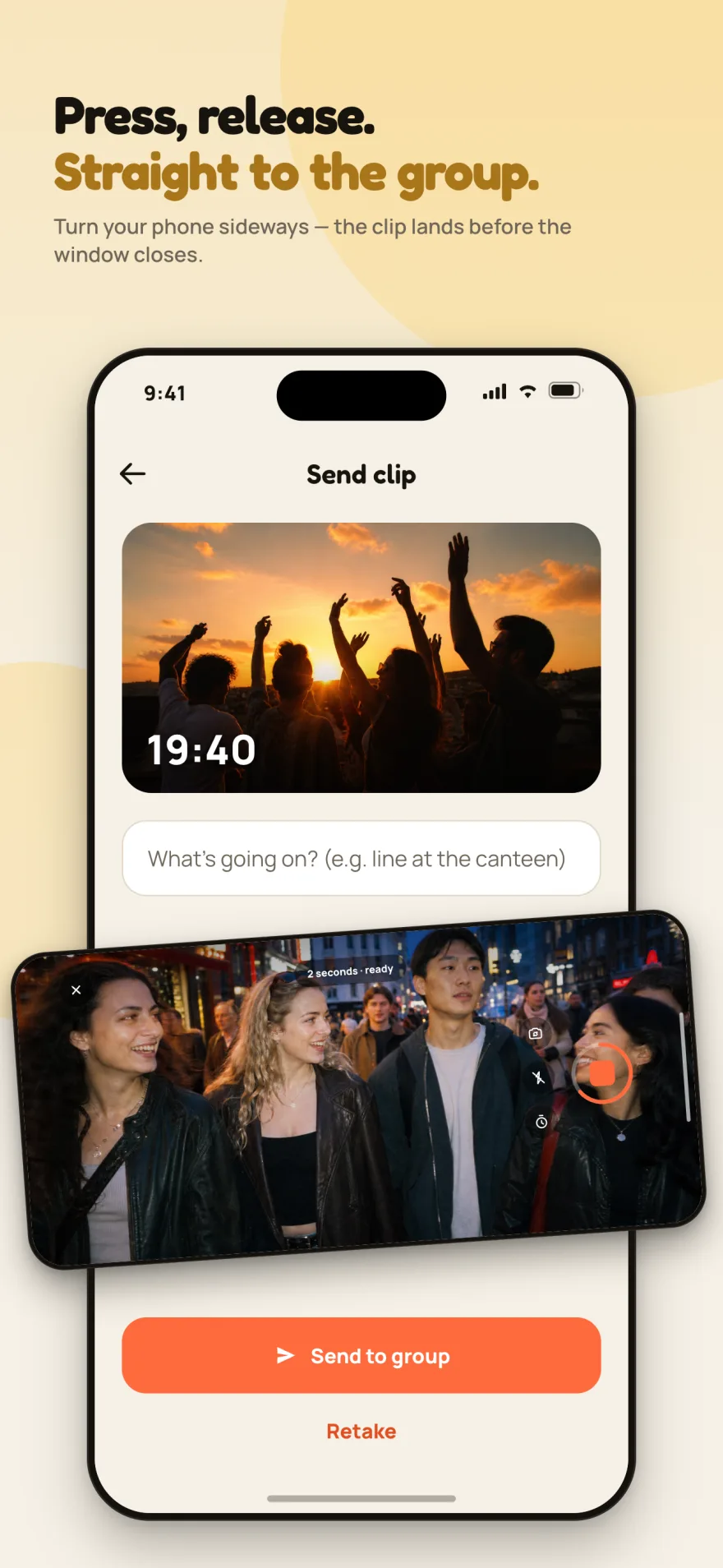
A capture window opens at each time you set. Pull out your phone, tap the shutter or hold it. A few seconds, that is all.
- 3
One vlog at day’s end
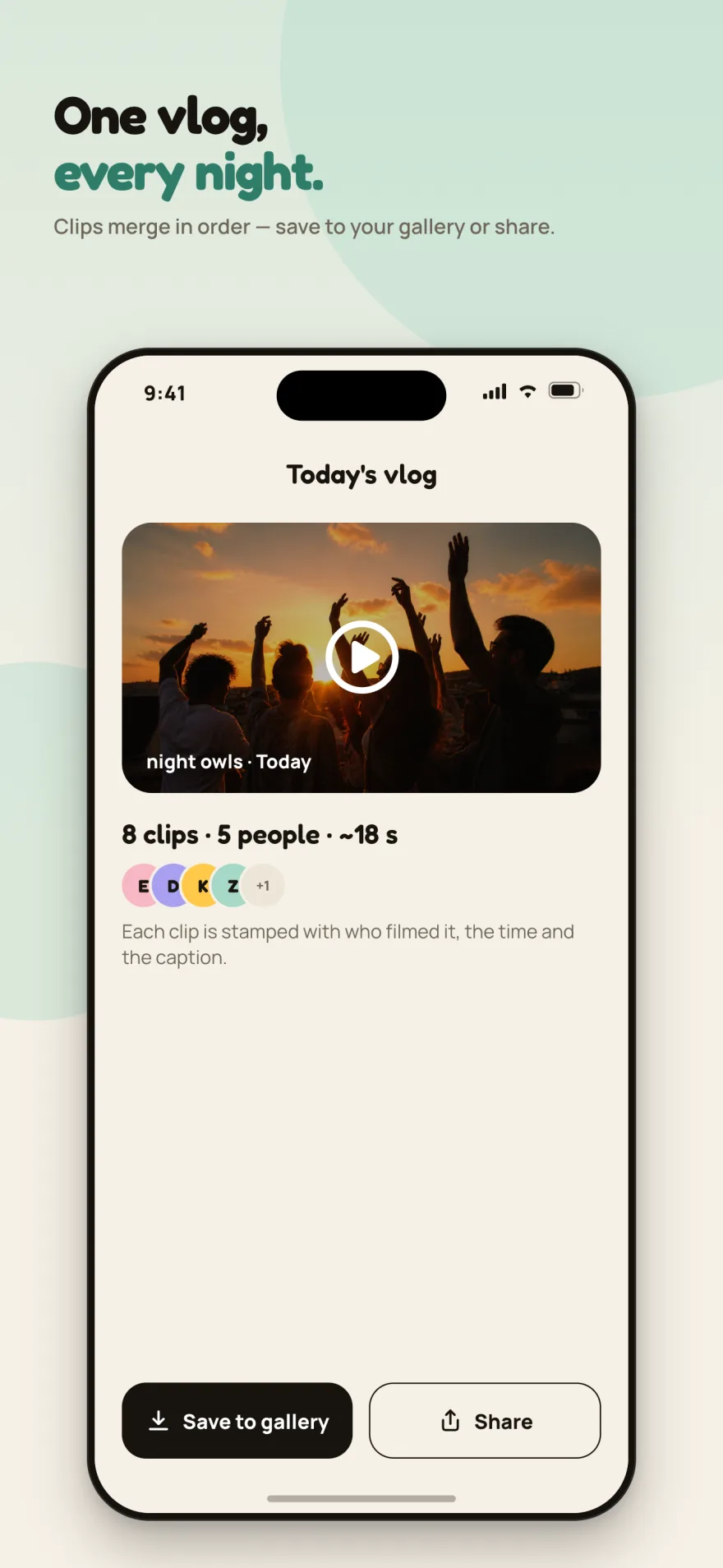
The day’s clips line up by time and merge into one video. Reorder them, add music, save to your gallery or share it.
What is inside the app?
Recapday is not social media. No followers, no like counts, no explore feed — just your group and the moments of that day.
Capture windows
Opens at the times your group chose and closes when the window ends. Miss it and you miss that moment — that is the point.
One vlog per day
Clips are ordered by capture time, each stamped with the name, time and caption. The vlog is rendered on your phone.
Your order, your music
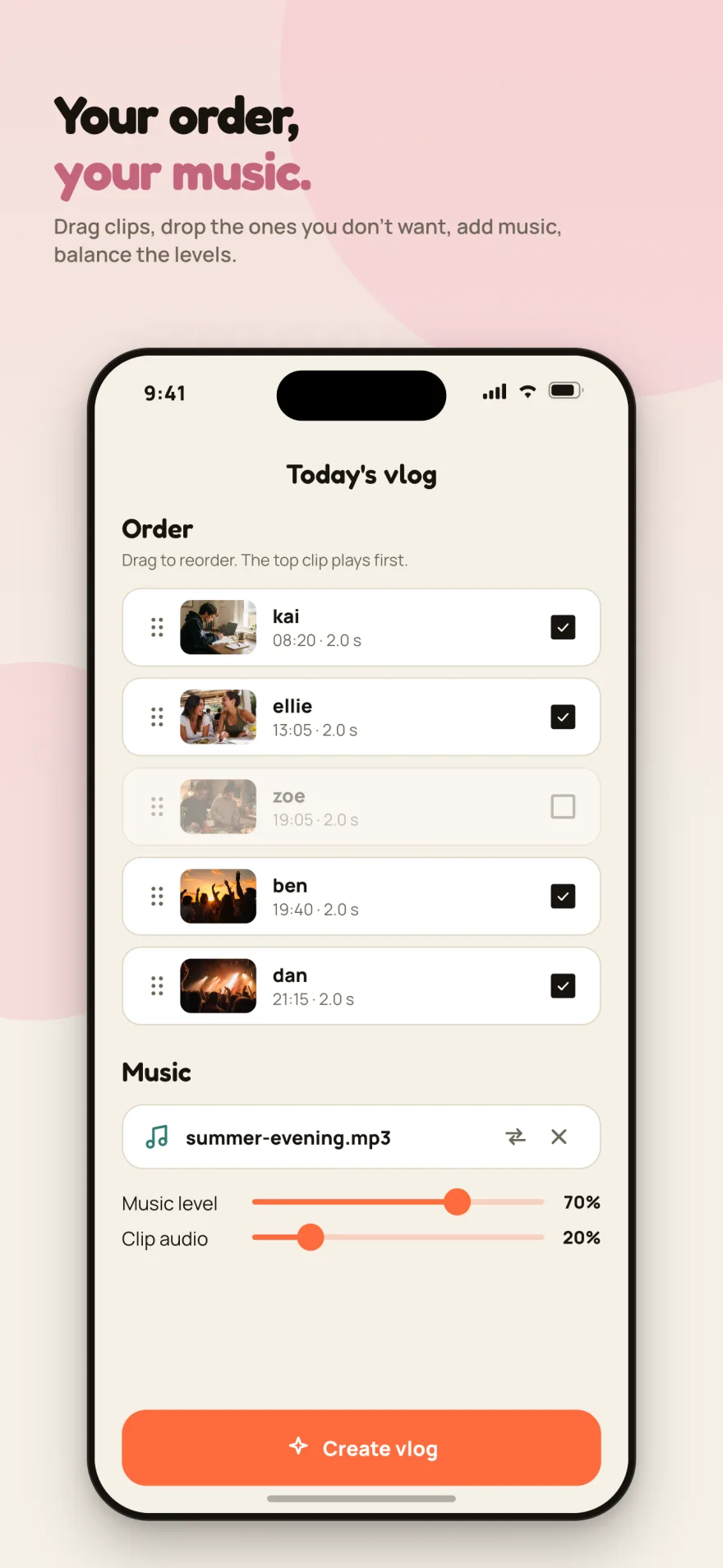
Drag clips to reorder, drop the ones you do not want, add a track from your files and balance music against clip audio.
Video or photo
The group creator picks: a short clip or a single frame. Clip length is one of 1, 2, 3, 5, 10 seconds.
Reactions and comments
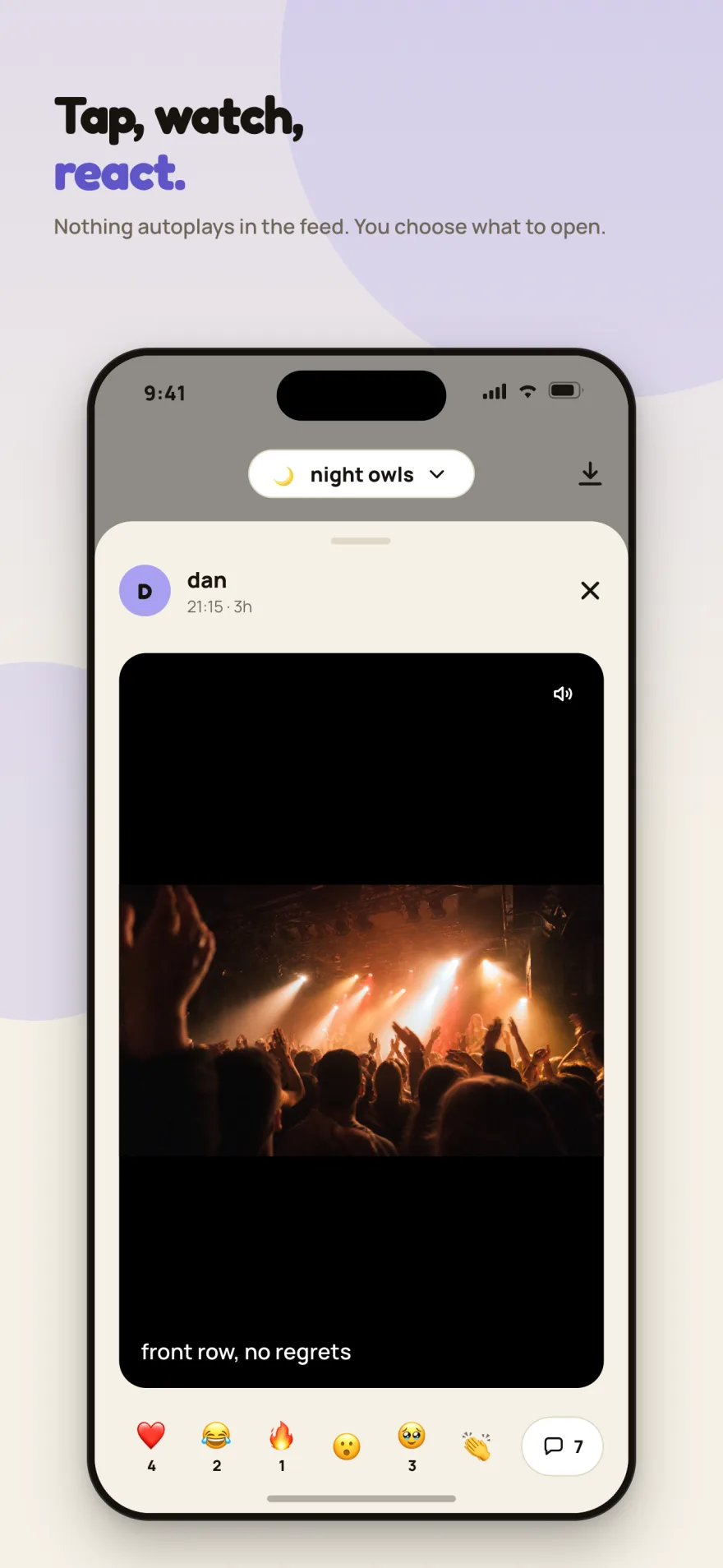
Nothing autoplays in the feed. Tap a clip to open it, leave an emoji, write a comment.
Home screen widget
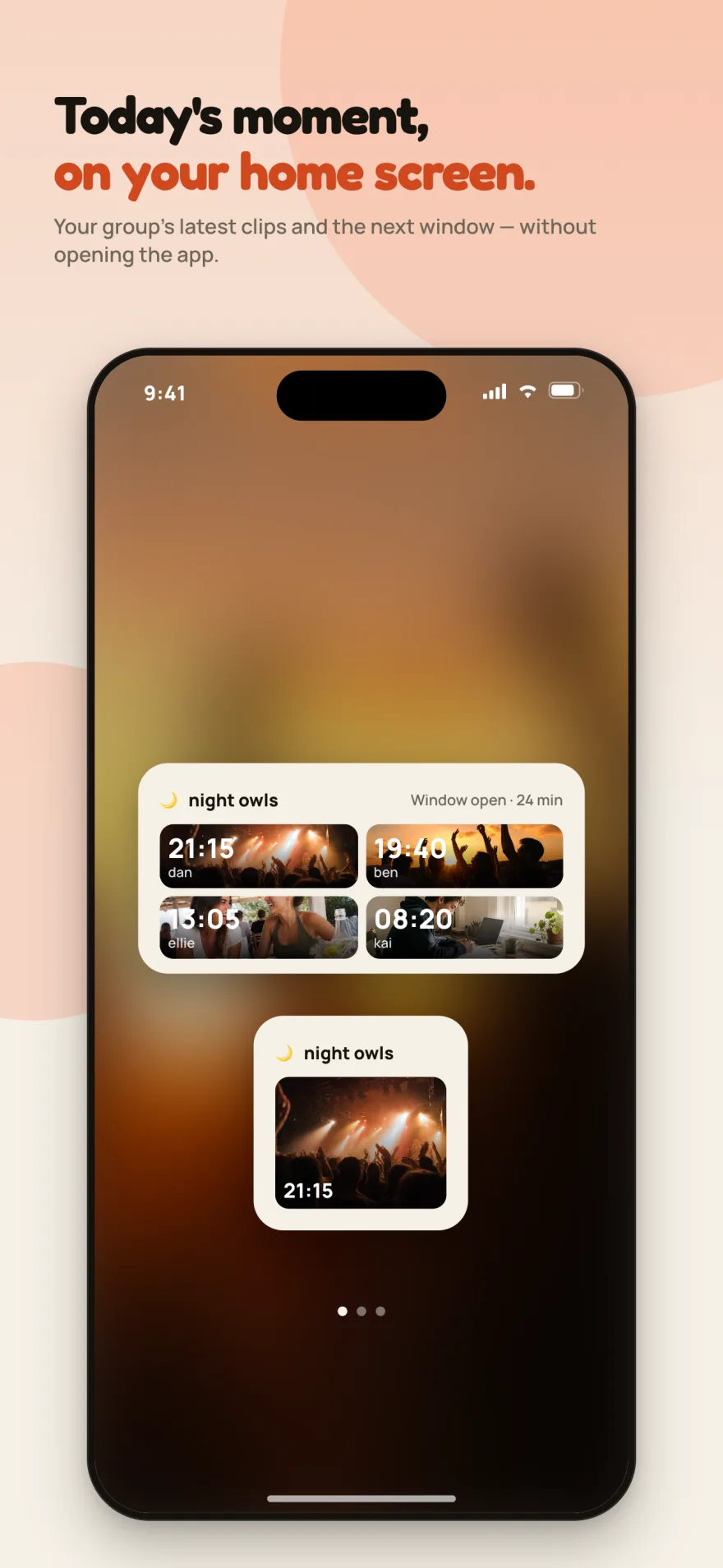
Your group’s latest clips and the next capture time, right on your home screen — without opening the app.
With your partner, a day made for two.
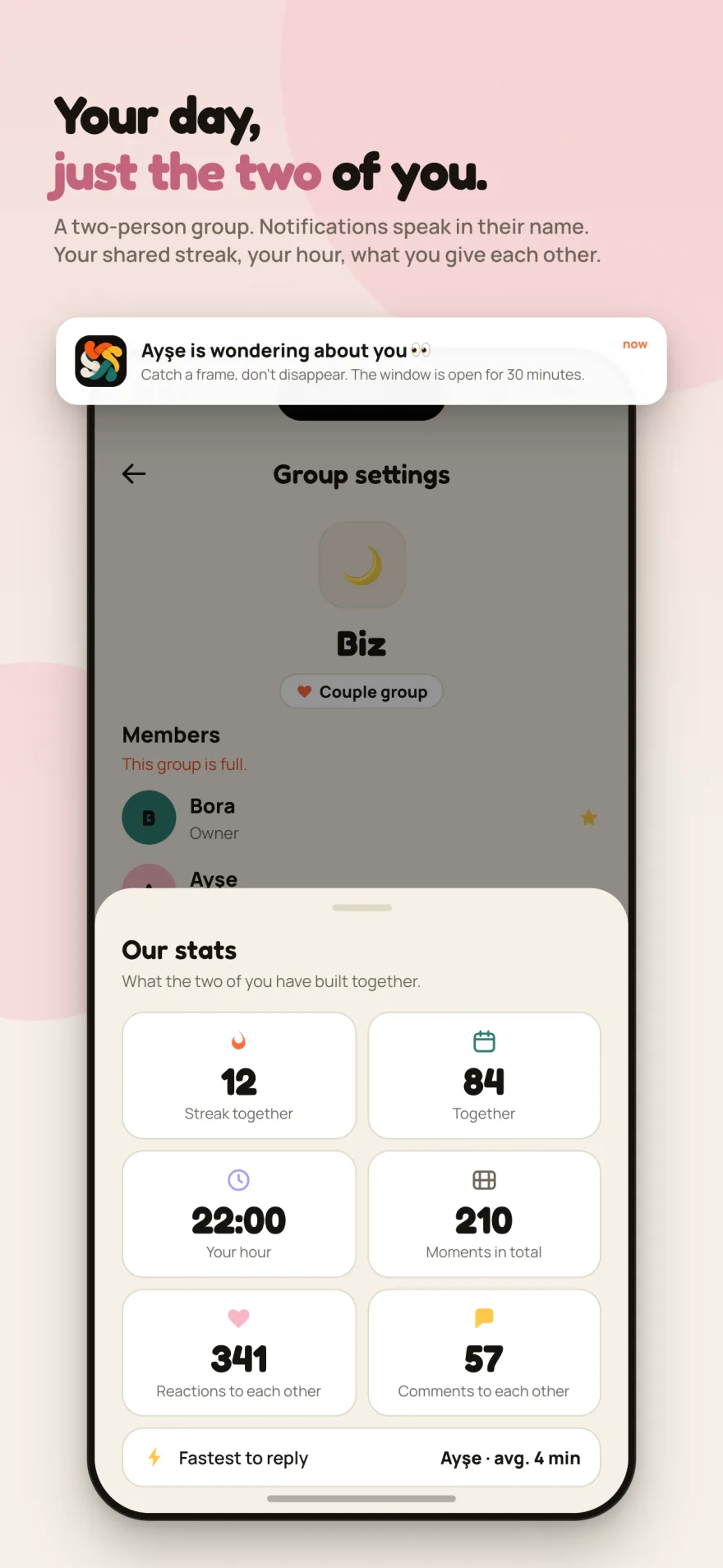
A private group just for the two of you. Notifications arrive with their name, sharing small moments together throughout the day.
Turn on Couple Mode in group settings to personalize notifications like “Ayşe is thinking of you 👀”. Track your shared daily streak, count mutual reactions, and at day’s end watch your moments merge into a private daily vlog.
Shared Day Streak
Keep your streak alive by recording clips every day.
Our Stats
Total moments, mutual reactions, comments, and fastest reply time.
Personalized Alerts
Alerts appear directly with your partner’s name instead of the app name.
Your Daily Vlog
When night falls, all your memories together join into one video.
What it looks like
Real screens from the app.
A closed space
There is no public feed, profile or search in Recapday. Everything you share stays inside the group you belong to.
- No ads, no analytics SDK, no tracking.
- No location, contacts or advertising identifier collected.
- The daily vlog is rendered on your device and never uploaded.
- You can delete a clip or edit its caption within 15 minutes of posting.
- You can delete your account instantly, in the app or on the web.
How it was built
I wrote up the decisions behind Recapday and the concrete problems I solved — architecture, camera bugs, the ffmpeg chain, account deletion.
Recapday Couple Mode: Why a Two-Person Group Needed Its Own Mode
How Couple Mode found its way into Recapday: what changes at two people, why a mode beat a separate app, and what I deliberately left out.
Merging Videos on Device With ffmpeg: Turning Mixed Aspect Ratios Into One Vlog
How Recapday merges vertical, horizontal and still clips into one 1920x1080 vlog on the phone with ffmpeg: blurred padding, text, music, compression.
How I Built Recapday: A Decision Log From Idea to Store
The architecture behind Recapday: why identity lives in Firebase but data on my own server, why I deleted the social features, and what was irreversible.
Flutter Camera Without Forcing Orientation: Three Bugs and Their Fixes
A rotated preview, a freeze when recording starts and a dead camera: three Flutter camera bugs from Recapday and the code that fixed each one.
Frequently asked questions
Can I record whenever I want?
No. Recording is only possible inside the window that opens after each time your group set. The creator also picks how long that window stays open, from 10 minutes to 2 hours. That is what makes everyone catch the same moment.
Who can see the clips?
Only members of that group. There are no public profiles or explore feeds; groups are joined by invite code only.
I posted by mistake — can I delete it?
You can delete a clip or edit its caption for 15 minutes after posting. After that it locks and stays as part of that day.
How is the vlog made?
The day’s clips are ordered by capture time and joined end to end, each stamped with the name, time and caption. You can reorder, remove clips and add music. The video is rendered on your phone.
Is it paid?
No. No ads and no in-app purchases either.
What is Couple Mode and how does it work?
You can set a two-person group as a "Couple group" in group settings. In this mode, notifications arrive with your partner's name ("Ayşe is wondering about you 👀"), track your shared daily streak, and unlock the "Our stats" panel showing mutual reactions and memories.
How do I delete my account?
In the app: Profile → Delete account, instantly. Without installing the app, use the web page and the code sent to your email. Either way clips, comments and your profile are removed permanently.
Gather your group or partner
Recapday is live on both the App Store and Google Play. Get your friends or partner together and capture your days as one.
Recapday is free to download on both the App Store and Google Play.