Flutter Camera Without Forcing Orientation: Three Bugs and Their Fixes
Last updated:
4 min read
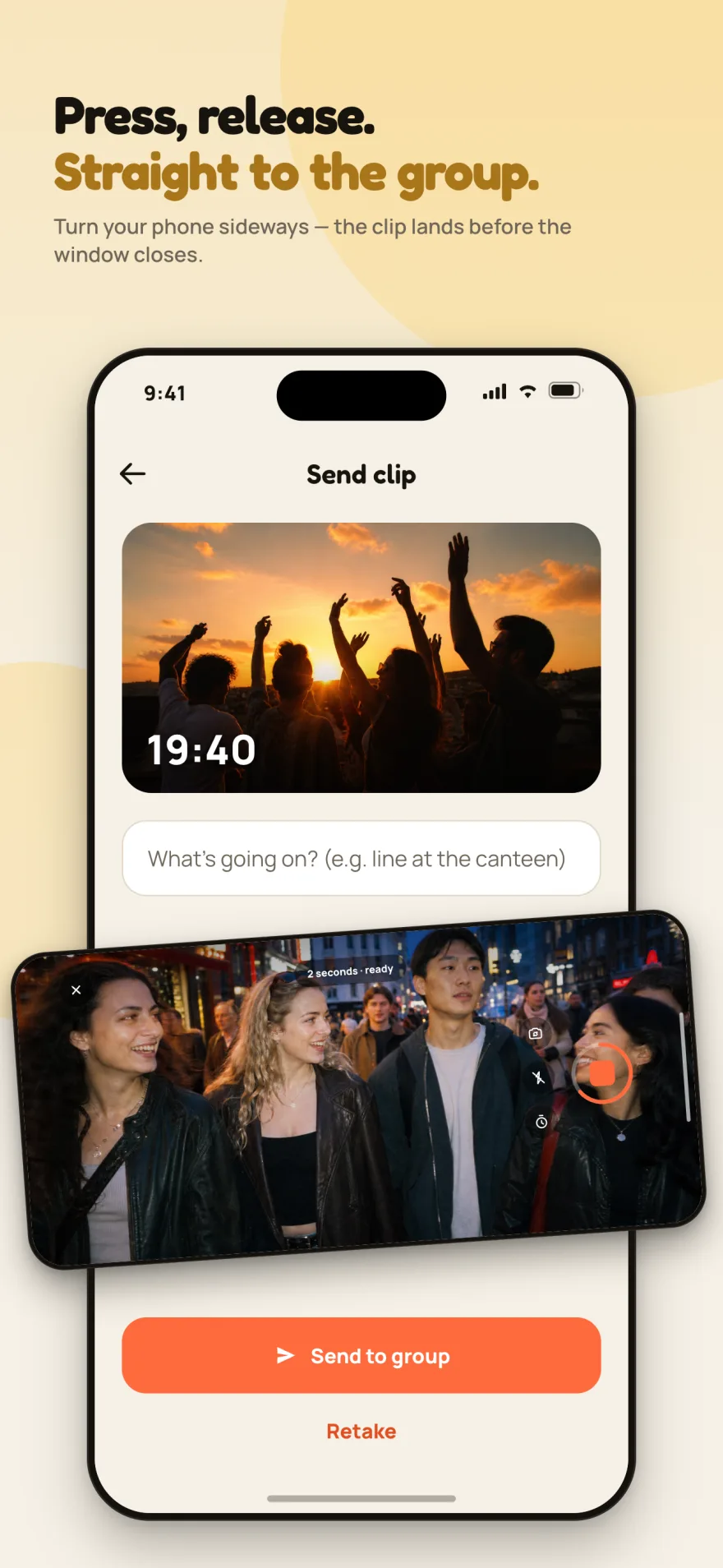
If you have written a video screen with Flutter's own camera package, you have probably hit at least one of these: the preview is rotated 90°, the UI freezes when recording starts, or the camera never comes back after the user pulls down notification center.
I hit all three building the camera screen for Recapday. This post covers the cause and fix for each — plus how to build a screen that never forces the user to hold their phone one way.
First, the principle: forcing orientation is the wrong fix
In the first version I locked the screen to landscape with the method described in the SystemChrome.setPreferredOrientations API reference so videos would come out horizontal. Classic move, and wrong.
Wrong for a simple reason: the user knows how to hold their phone. Stopping someone who pulled out their phone to catch a moment with "rotate first" makes them miss the moment they were trying to catch.
The right model:
- Interface locked portrait. Buttons stay put, layout doesn't jump.
- Camera free. Record vertically or horizontally. The device's own sensor already writes the correct orientation into the file.
- The merge step accepts both. Clips of different aspect ratios meet in one vlog.
Adopting that principle also made the bugs below easier to fix, because I was no longer fighting the camera into a shape.
Bug 1: The preview is rotated 90°
Symptom: CameraPreview shows the image sideways.
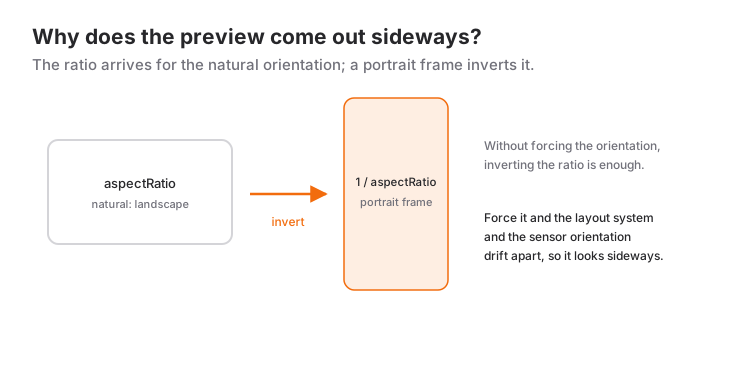
Cause: because I was forcing orientation, Flutter's layout and the camera's sensor orientation disagreed. CameraPreview reports aspectRatio relative to the device's natural orientation; rotating the screen by force made the two drift apart.
Fix: drop the orientation lock, and build the preview from the controller's own buildPreview() with the ratio inverted:
// Portrait frame: the camera package reports aspectRatio against the
// device's natural (landscape) orientation, we're placing it in a
// portrait box.
final oran = 1 / k.value.aspectRatio;

return AspectRatio(
  aspectRatio: oran,
  child: ClipRRect(
    borderRadius: BorderRadius.circular(24),
    child: k.buildPreview(),
  ),
);
Using buildPreview() instead of CameraPreview matters: CameraPreview applies its own rotation logic internally, and combined with a forced orientation it was rotating twice.
Bug 2: The UI freezes when recording starts
Symptom: calling startVideoRecording() locks the app for one to two seconds. Not a stutter — a visible freeze.
Cause: when recording is requested on a session that hasn't been prepared for video, the platform reconfigures the session right then. That work blocks the main thread.
Fix: do the preparation right after the controller initializes, before the user touches anything:
final yeni = CameraController(
  kamera,
  ResolutionPreset.high,
  enableAudio: true,
);

await yeni.initialize();

// Without this line the first recording freezes for 1-2 seconds:
// the session does its recording prep at record time.
await yeni.prepareForVideoRecording();
One line. The freeze was gone entirely.
Bug 3: The camera dies after notification center
Symptom: the user swipes down for notification center and closes it again — the preview stays black.
Cause: my lifecycle handler was disposing the controller on AppLifecycleState.inactive too. But as the AppLifecycleState enum documentation explains, inactive doesn't mean backgrounded; notification center, control center, an incoming call banner and the app switcher all trigger it. I was tearing the camera down, and because resumed doesn't always follow, never bringing it back.
Fix: only dispose on states that really mean backgrounded:
@override
void didChangeAppLifecycleState(AppLifecycleState durum) {
  final k = _kontrolcu;
  if (k == null || !k.value.isInitialized) return;

  switch (durum) {
    // Genuinely backgrounded: release the camera.
    case AppLifecycleState.paused:
    case AppLifecycleState.hidden:
    case AppLifecycleState.detached:
      _kapat();

    case AppLifecycleState.resumed:
      _baslat();

    // inactive: notification centre, control centre, incoming call.
    // Keep the camera alive; disposing here leaves a black screen.
    case AppLifecycleState.inactive:
      break;
  }
}
Writing inactive as its own empty case beats a default: if a new state is added, the compiler tells you.
The shutter: tap and hold, both
Rather than guessing how someone will record, I supported both. Tap and long-press gestures on the same button:
GestureDetector(
  // Single tap: records a fixed-length clip.
  onTap: _kayitta ? null : _cek,

  // Press and hold: records until the finger lifts.
  onLongPressStart: (d) {
    _basmaBaslangiciY = d.globalPosition.dy;
    _kayitBaslat();
  },
  onLongPressMoveUpdate: _basiliZoom,
  onLongPressEnd: (_) => _kayitBitir(),

  child: _deklansor(),
)
onLongPressMoveUpdate measures how far the finger has slid up from where it started and maps that to zoom. One detail: some phones report a maximum zoom above 100, and at that level the image is unusable. I capped it myself:
double get _ustZoom => _maxZoom > 8 ? 8 : _maxZoom;Flipping the camera mid-recording is supported too, via double tap. You don't have to stop and restart: on most devices setDescription swaps the stream without cutting the recording.
Wrapping up
All three bugs share a cause: fighting the platform's own behavior. Forcing orientation collided with rotation, deferring preparation caused the freeze, reading the lifecycle too broadly killed the camera.
A short checklist:
- Don't force orientation. Lock the UI, free the camera.
- Call
prepareForVideoRecording()afterinitialize(). - Don't dispose the camera on
inactive. - Cap the zoom yourself.
- Build the preview from
buildPreview()and invert the ratio for a portrait frame.
I wrote up Recapday's whole architecture in a separate post.
Frequently Asked Questions
Why is forcing the orientation on a camera screen wrong?
Forcing it splits Flutter's layout system from the camera's own sensor orientation. CameraPreview reports its ratio for the device's natural orientation, so once the two drift apart the preview looks sideways.
What should you do if the preview appears rotated by 90 degrees?
Drop the forced orientation and invert the ratio: hand 1 / controller.value.aspectRatio to an AspectRatio widget, and build the preview from the controller's own buildPreview() output.
How do you get rid of the freeze when recording starts?
Call prepareForVideoRecording() right after initialize(). Without that one line the session prepares for recording at the moment you press record, and it blocks the main thread for a second or two.
Why does the camera go black after opening the notification center?
Because the controller is being disposed on AppLifecycleState.inactive. That state does not mean the app went to the background: the notification center, the control center, an incoming call and the app switcher all trigger it. Release the camera only on paused and hidden.
Related Posts
Dart Interfaces and implements: Contracts for Classes
Contracts with implements in Dart, Dart 3's interface class and abstract interface class, how mixins with differ, and an example of testable code.
Dart Inheritance and Polymorphism: A Practical Guide
Inheritance in Dart with extends, super and @override, polymorphism, abstract classes, safe type checks, and Dart 3's sealed, final and base class modifiers.
Dart Enum and Composition: How to Organize Your Code
Dart 3 enums with fields and methods, exhaustive checks with switch expressions, and composition as a has-a relationship, with examples and common mistakes.