Townscaper-Style House Building: Kalecik Custom House Guide
11 min read
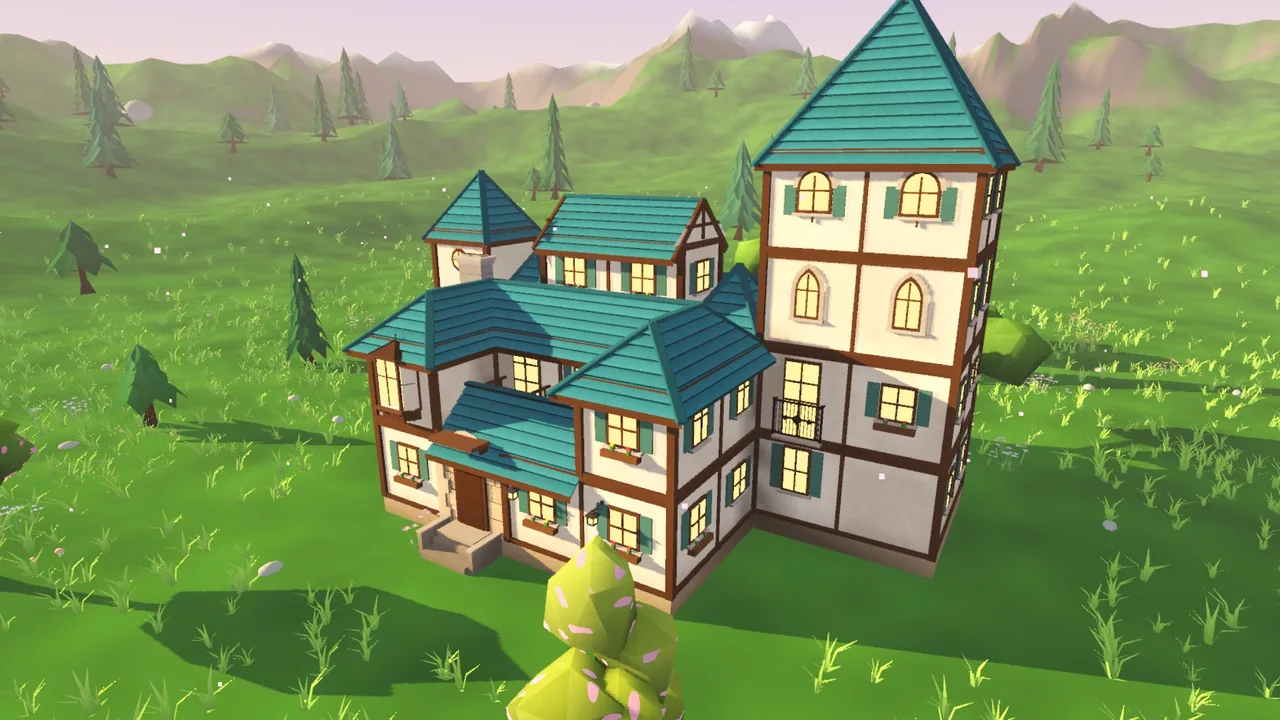
The custom house studio in Kalecik is inspired by Townscaper: tap, and a block appears; windows, the door and the roof form by themselves. The difference starts once the house is done: you walk inside, furnish the rooms the way you like, and even build your own furniture from cubes. One thing up front: Kalecik is a game I made. It is an independent game; it has no connection to Oskar Stålberg, who made Townscaper, or to its publisher Raw Fury, and it is not a version of Townscaper. In this post we build a custom house step by step, furnish it and place it in a village; then I state plainly where the two games differ.
I compare the other games close to Townscaper in two separate posts: for phones and for computers. Kalecik's main job, building walls, gates and a village, is covered in the Kalecik guide. What I say about Townscaper here is not from my own playtime; it comes from its store pages.
Townscaper and Kalecik's custom house studio side by side
| Topic | Townscaper | Kalecik's custom house studio |
|---|---|---|
| Made by | Oskar Stålberg; published by Raw Fury | Ahmet Balaman (the author of this post) |
| Platforms | Windows and macOS (Steam), iPhone, iPad, Android | iPhone, iPad, Android, Mac |
| Price | $5.99 on Steam, $4.99 on phones | $4.99 |
| What you build | Island towns: per the store description, small hamlets, cathedrals, canal networks, sky cities on stilts | Individual houses; the rest of the village is built by drawing walls, paths and houses |
| How you build | You drop colored blocks on an irregular grid; the algorithm turns them into houses, arches and stairways | You tap the ground, a wall or a roof and a block appears; windows, the door and the roof form by themselves |
| Changing the detail | You pick the color from the palette | With Decorate you choose the door, window, roof and color piece by piece |
| Goal | None | None in the building part |
| Interiors | Not mentioned in the store description | Walk takes you inside; you place furniture and make your own |
| Store rating | 4.5 on the App Store (968 ratings); 95% of 10,648 English Steam reviews positive | No ratings yet on the US stores; the game is new |
Prices and ratings are from the US stores, November 16, 2026.
What you need
- Device: An iPhone or iPad on iOS 15 or later (A12 Bionic or newer), an Android 10 or later phone or tablet, or a Mac on macOS 13 or later.
- The game: A one-time purchase on the App Store or Google Play. No ads, no subscription, no in-app purchases.
- Version: The studio, furnishing and making your own furniture are in the version on both stores (1.3.8 on the App Store, 1.3.7 on Google Play). What is only in 1.3.8 is marked below.
Build a custom house step by step
1. Open the studio
Pick the House tool on the toolbar. The option row above it has six types: House, Barn, Chapel, Windmill, Keep and Custom house. Tap Custom house and the list of your saved houses opens; + Create new starts the studio on an empty plot. In the studio you see a grid in the middle of the meadow, the Build, Decorate and Walk buttons at the bottom, and Done at the bottom right.
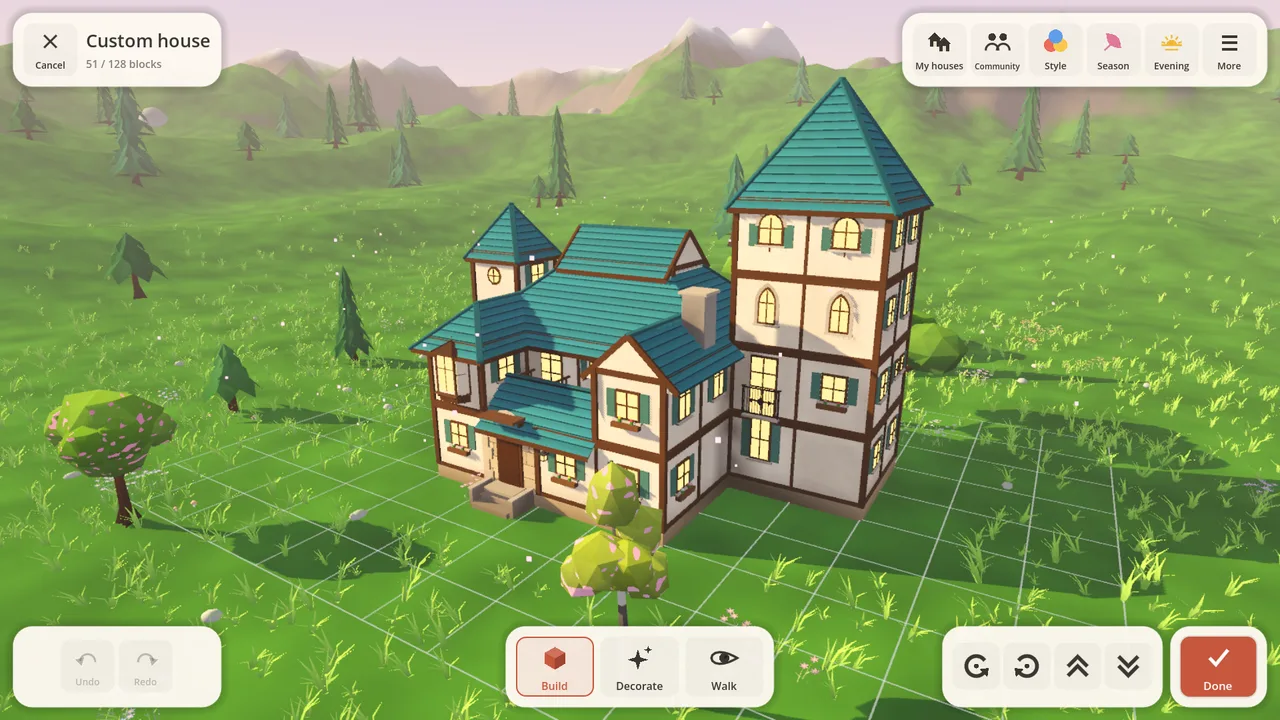
A frame from Kalecik, rendered by the game's own engine. This image is not from Townscaper.
2. Place a block, remove a block
Build mode has three taps:
- Tap empty ground: a new block appears.
- Tap a wall: a block appears next to it.
- Tap a roof: a new floor goes on top.
To remove a block, press and hold it; it goes when the ring fills. If you slip, the Undo button at the top takes it back. Drag with two fingers and the house turns; spread or pinch and the camera zooms.
Here is the moment that recalls Townscaper: put an upper-floor block beside a wall and the space underneath stays open, and posts, arches and a balcony appear on their own. You don't lay out the windows, the door or the roof at first either; the game places them from the way the blocks sit. The counter at the top left shows how many blocks you have used.
3. Start from a ready-made house if you like
You don't have to start from an empty plot. Random house builds a different house every time; you change the parts you don't like with blocks. The globe button builds houses in the style of the world's traditions: Dutch canal house, Cycladic house, Moroccan ksar, Alpine chalet, trullo, Ottoman konak, hanok, stave church, Toraja house and Chinese house. These come with their own interiors.
4. Decorate: door, window, roof and color
Switch to Decorate and tap a wall piece or a roof; options open beside it. For a wall piece there are window types (flowery, small, tall, pair, round), a door, a double door, a balcony, a bay window and a shop window. For the roof, next to gable, hip and terrace shapes you can also pick a dome or an onion dome. Colors are changed here too.
5. Walk: go inside the house
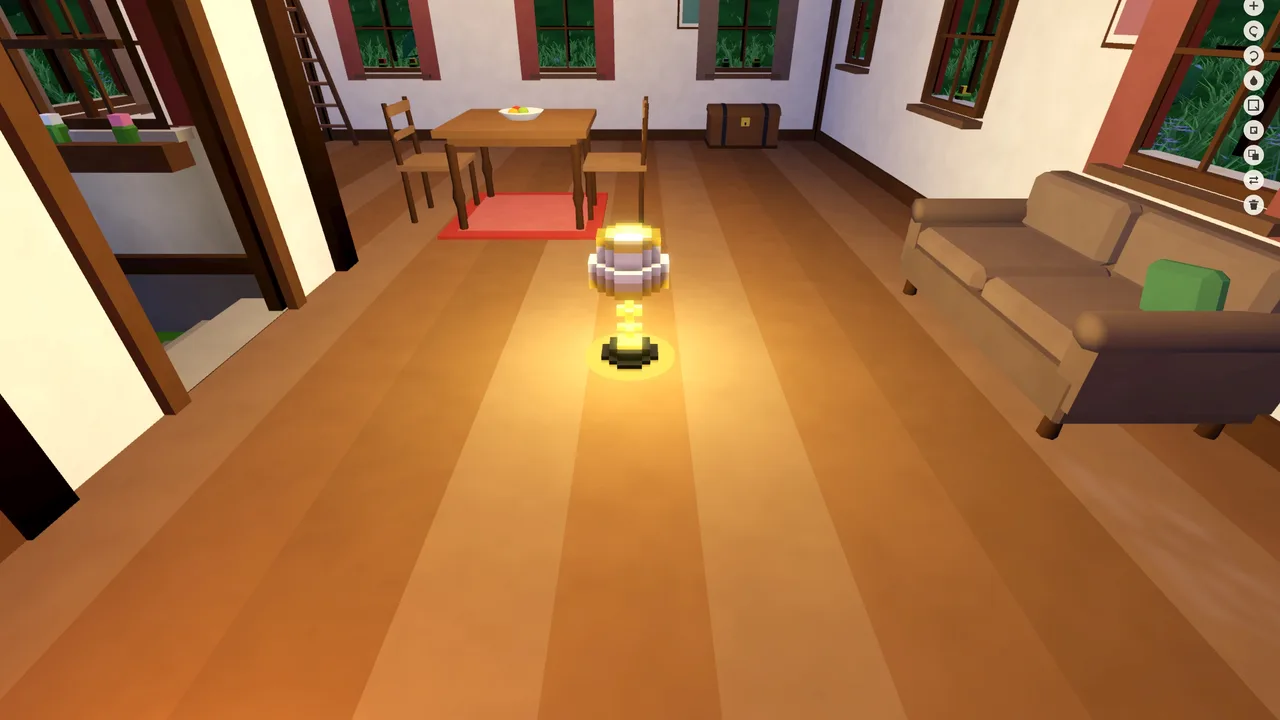
The Walk button takes you inside. The left thumb walks, the right thumb looks; next to the stairs a button appears that takes you up a floor. The game places the stairs between floors itself. The rooms have names too: living room, kitchen, study, bedroom.
6. Press Done and place the house in the village
Tap Done and the house is saved to My houses by itself, and you are back in the village. The screen says "Custom house ready: tap the village to place it": tap the meadow where you want it, drag to adjust the position and press Place. If you change your mind later, tap the house in the village; Edit design in its menu opens the studio on that house's design, and when you press Done the new version takes the place of the old one.
7. Furnish the house
You place furniture while walking through your custom house. On a walk through the village, the sofa button at the top right does the same job (M on a computer). The catalog is split into tabs: Seating, Table, Bed, Storage, Kitchen & work, Ornament, Small things, Light & heat, Rugs and Culture. Tap a piece to select it; drag the selected piece to move it.
Three things make it easier:
- Furnish empty rooms: the game furnishes the rooms you left empty; then you change what you don't like.
- Room view: opens the house from above, without roof and walls, so you furnish the rooms from a bird's-eye view.
- Frames: the frames you hang on a wall can hold photos from your album. So a photo of your village can hang on the wall of a house in that village.
8. Make your own furniture
If the ready-made pieces are not enough, open the furniture workshop from the My pieces tab of the catalog. Here you build furniture from cubes: whole cubes, half cubes, slopes, colors and materials (metal, glass); the mirror option places what you put on the right on the left as well, and a light cube lights the room. You can put up to 20 pieces of your own in every house.
9. Share it if you like
The Community screen is optional. You can share a custom house or a piece you made, and download what other players shared and use it in your own village. The internet is needed only for this screen; building and furnishing work offline.
What else is inside the house?
- Chess table: put a chess table in your house and a villager comes in, sits down across from you and plays by the full rules. This arrived with version 1.3.8; it is on iPhone, iPad and Mac now and reaches Android with the next update.
- Aquarium: a lit glass tank you fill with the fish you catch with the rod. Also new in 1.3.8.
- Finds from the sea: also in 1.3.8, on island maps you dive into the sea, and the twelve finds you bring up from the floor become furniture for your house.
- Cave prizes: the prizes of the bosses you beat in the cave adventure show up in the Ornament tab of the catalog.
- Sounds: a crackle at the hearth, the sound of rain on the roof.
Where does it differ from Townscaper?
Same inspiration, separate games. The differences go both ways:
- Scale. In Townscaper you build a whole town that grows with every tap. In Kalecik's studio you build one house at a time; the town feeling comes when you place those houses in a walled village.
- What Townscaper has and Kalecik does not. The irregular grid, cities rising from the water and Townscaper's own colorful town look are not here. Kalecik's houses are half-timbered village houses and houses from the world's traditions.
- What Kalecik has that Townscaper's store description does not mention. Going inside the house, furnishing the rooms, making your own furniture, and choosing doors and windows piece by piece.
- Track record. Townscaper has been on the stores since 2021 and has thousands of ratings. Kalecik came to Google Play on September 25, 2026 and to the App Store on October 3, 2026; it has no ratings yet on the US stores. I cannot present it as a game proven by reviews.
Who is it for, and who should skip it?
This section is my view. As the person who made the game I am not neutral, so I also list the reasons to skip it.
It may be for you: If you want to go inside and furnish, not just build. If you want to place your house in a walled village instead of leaving it on its own. If you are looking for a game with no ads, no internet requirement and a one-time price.
Skip it:
- If what you want is Townscaper itself, get that; it is on phones and on computers. Kalecik does not replace it.
- If you want to build a city on the water that grows street by street, the studio will feel small.
- If you want to play on Windows, Kalecik has no Windows version; look at the other games in the PC post.
- If you want to read other people's reviews before buying, waiting is reasonable.
Frequently Asked Questions
Is Kalecik the mobile version of Townscaper?
No. Townscaper has its own mobile version; it is sold on the App Store and on Google Play. Kalecik is a separate game; only its custom house studio is inspired by Townscaper.
Can you go inside the houses in Kalecik?
Yes. The Walk button in the studio takes you into the house, and on a walk through the village you can step into the houses too. The other houses of the village are furnished as well.
Can I furnish the house the way I want?
Yes. You pick pieces from the catalog, put them where you like and drag them to move them. You can let the game do it with Furnish empty rooms and change things afterwards. You can also build your own pieces from cubes.
Does building custom houses cost extra?
No. The studio, the furniture catalog and the furniture workshop are part of the game; there are no in-app purchases.
Can I share the house I built?
Yes, through the optional Community screen. You don't have to; the house and the village stay on your device.
Can you play Kalecik on a computer?
Only on a Mac: it is on the Mac App Store and requires macOS 13 or later. There is no Windows version.
Sources
Store data was read on November 16, 2026.
- Kalecik on the App Store: price, version, device requirements and the 1.3.8 release notes
- Kalecik on Google Play: price, version and developer name
- Kalecik product page: the custom house demo, tools and privacy
- Townscaper: App Store, Google Play, Steam: the game's description, price, platforms and ratings
If you are curious how the game was made, I wrote about it in the making-of.
Related Posts
Games Like Townscaper on Mobile: 5 for Android & iPhone
Townscaper itself runs on phones. Here are five mobile games with a similar feel, compared by price, ads, goals and whether you can step inside.
Games Like Townscaper on PC: 7 Picks for Windows and Mac
Seven computer games for people who like Townscaper, compared by price, platform, goals and Steam reviews, plus which ones let you go inside.
Tiny Glade-Style Castle Building on Your Phone: Kalecik Guide
Tiny Glade doesn't run on phones. Here is the same idea on iPhone, iPad and Android in Kalecik, my own game, step by step: wall, gate, house, pond, bridge.